

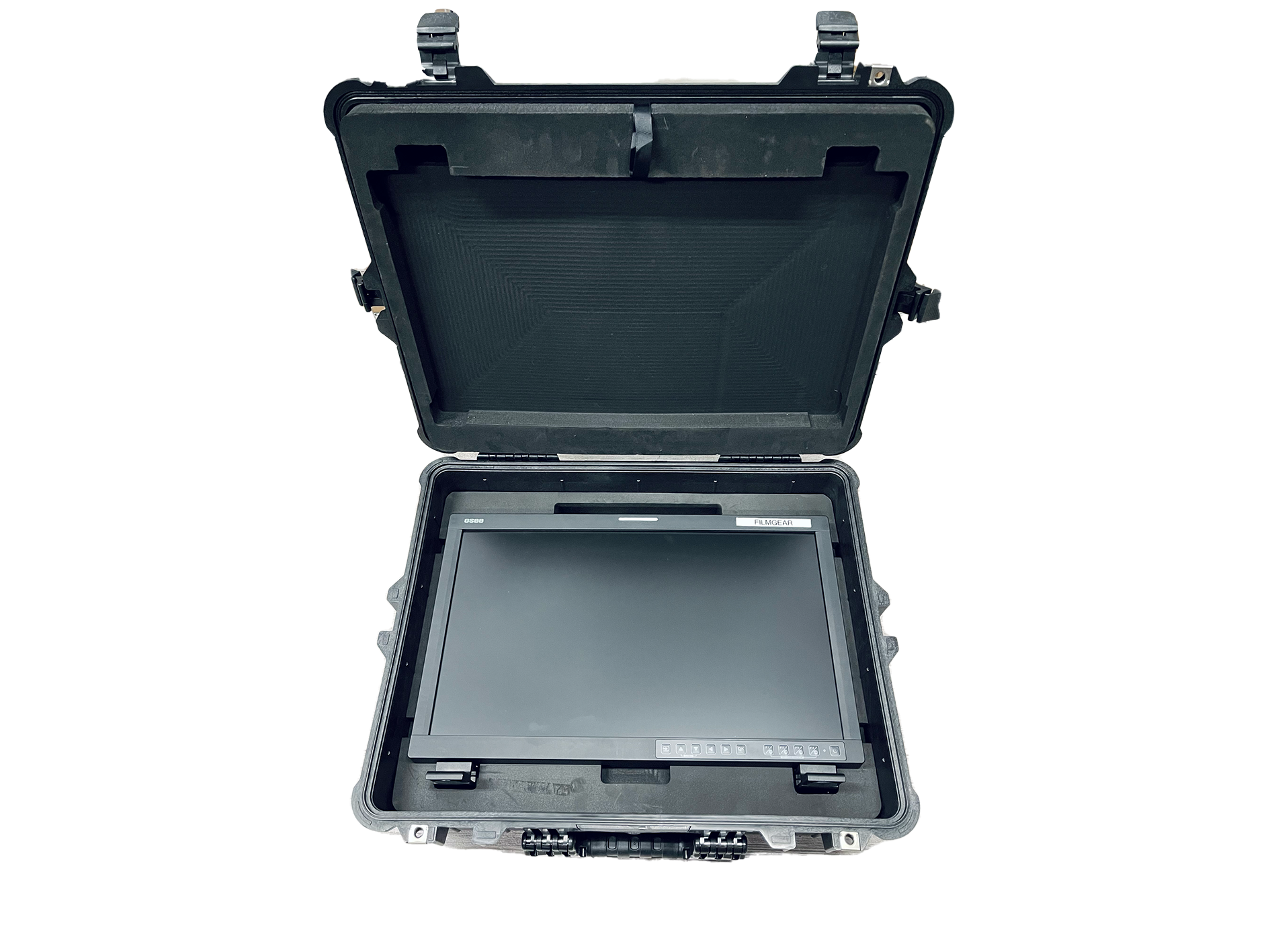
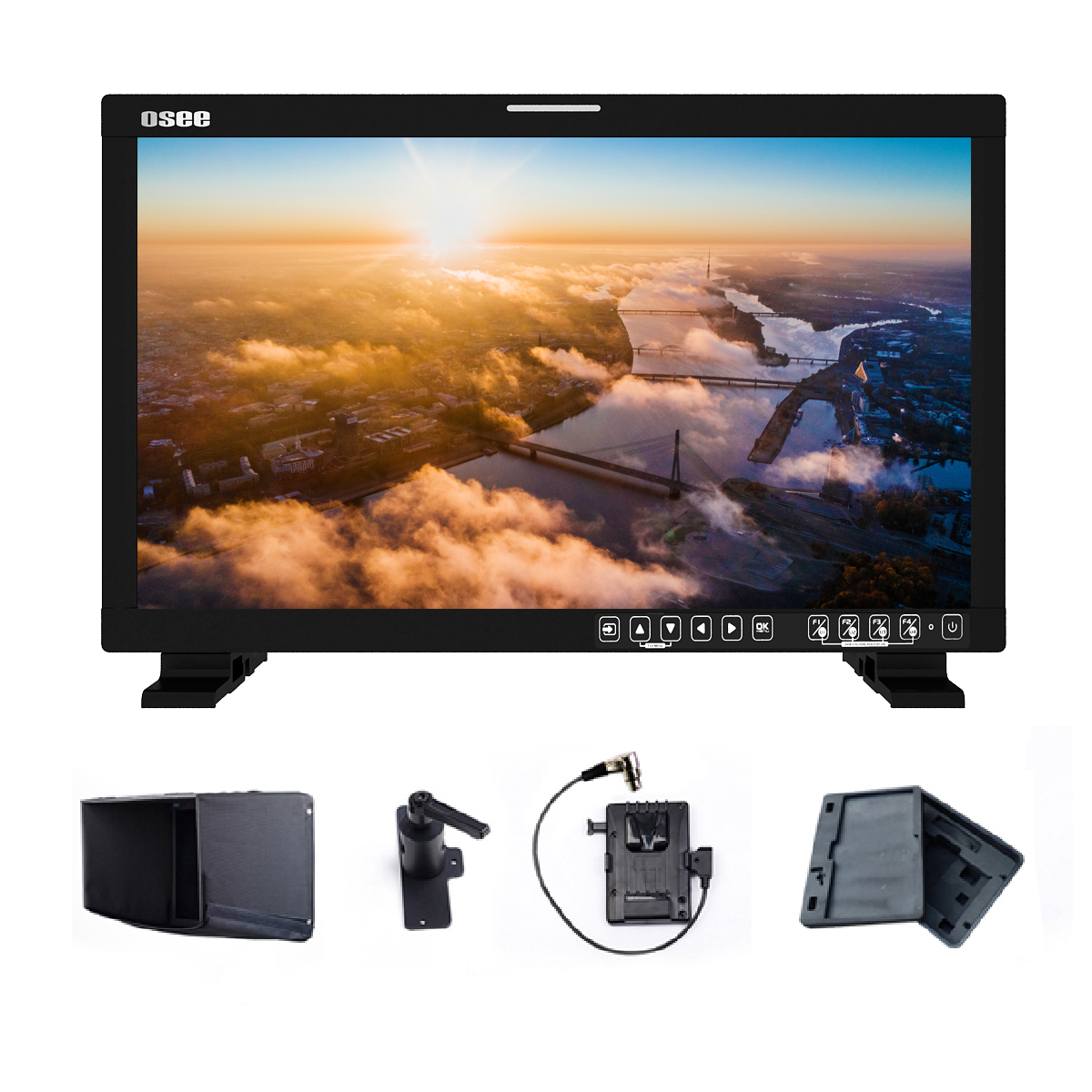

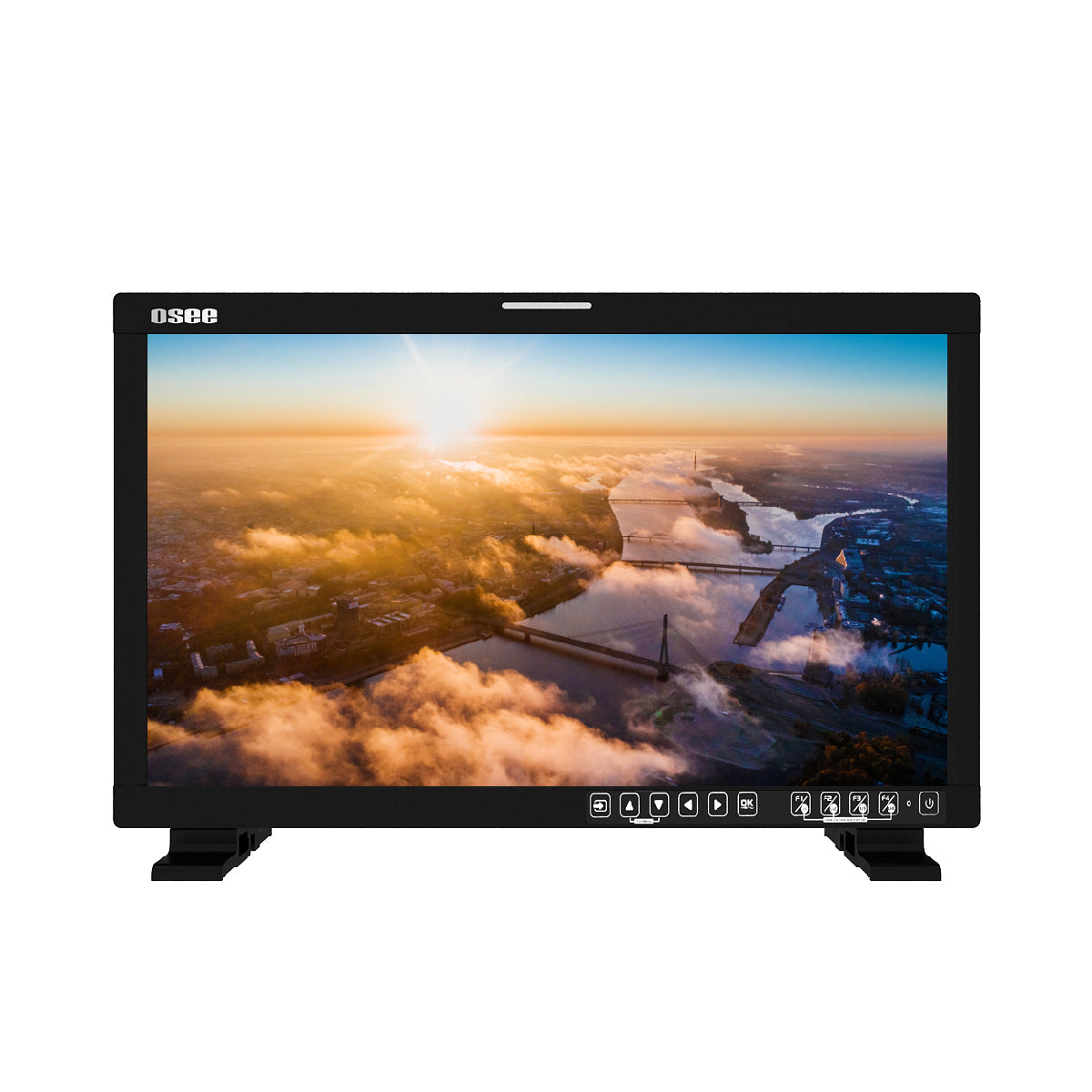
LCM215-HDR+ 21.5inch 1500nits Field Monitor with Pelican 1600 Case Kit
SKU: LCM215-HDRPLUS-KIT-V-Pelican
Before ordering, send Filmgear Canada the link so we can verify the price including shipping.
- Identical productSame brand and model, new and unopened, with a manufacturer warranty in Canada.
- Canadian sellerAn authorized retailer or official brand store, priced in Canadian dollars.
- Available nowThe seller has it in stock and you can buy it now at the listed price.
- Delivered priceWe compare the total price including shipping.
Exclusions: Third-party marketplace sellers, foreign sites, clearance, open-box, demos, refurbished, limited-quantity offers, price errors.
If we lower this model's price within 7 days of purchase, we'll refund the difference.
Couldn't load pickup availability
Pickup currently unavailable at Filmgear Canada (enter at 945 E Cordova St)
Pairs well with
If you have any questions, you are always welcome to contact us. We'll get back to you as soon as possible, within 24 hours on weekdays.
-
Shipping Information
Ships from Vancouver, BC across Canada. Free standard shipping on orders over $199 CAD (remote areas and oversize or overweight items excluded). In-stock orders placed before 2 PM Vancouver time ship the same business day. Pre-order and special order items ship when they arrive. Local pickup at our 945 E Cordova St showroom, usually ready in 2 hours for in-stock items.
-
Customer Support
Email info@filmgearcanada.com or call (604) 269-4161. Our team gives pre-purchase advice, helps you spec the right model for your shoot, and confirms compatibility before you order. Open Monday–Saturday, 9:30 AM – 5:00 PM PT. In-store consultation at our Vancouver, BC showroom.
-
FAQ’s
Authorized Canadian dealer for Aputure, amaran, DJI, Nanlite, Tilta, and more. All products include full manufacturer warranty and Canadian-side support. For B2B / production-house pricing or net terms, email info@filmgearcanada.com — we work with crews and studios across Canada.
-
Contact Us
Filmgear Canada — 945 E Cordova St #108, Vancouver, BC V6A 1H9. Phone: (604) 269-4161. Email: info@filmgearcanada.com. Showroom open Mon–Sat, 9:30 AM – 5:00 PM — walk-ins welcome, no appointment needed.
LCM215-HDR+ 21.5inch 1500nits Field Monitor with Pelican 1600 Case Kit is a 21.5-inch 1500-nit HDR field monitor supplied with a Pelican 1600 transport case for daylight viewing, camera evaluation, video village, studio, DIT, and mobile production. Its large display should be planned around SDI and HDMI format support, calibration, exposure tools, power, stand or C-stand mounting, battery choice, transport, and operator distance.
Product Overview
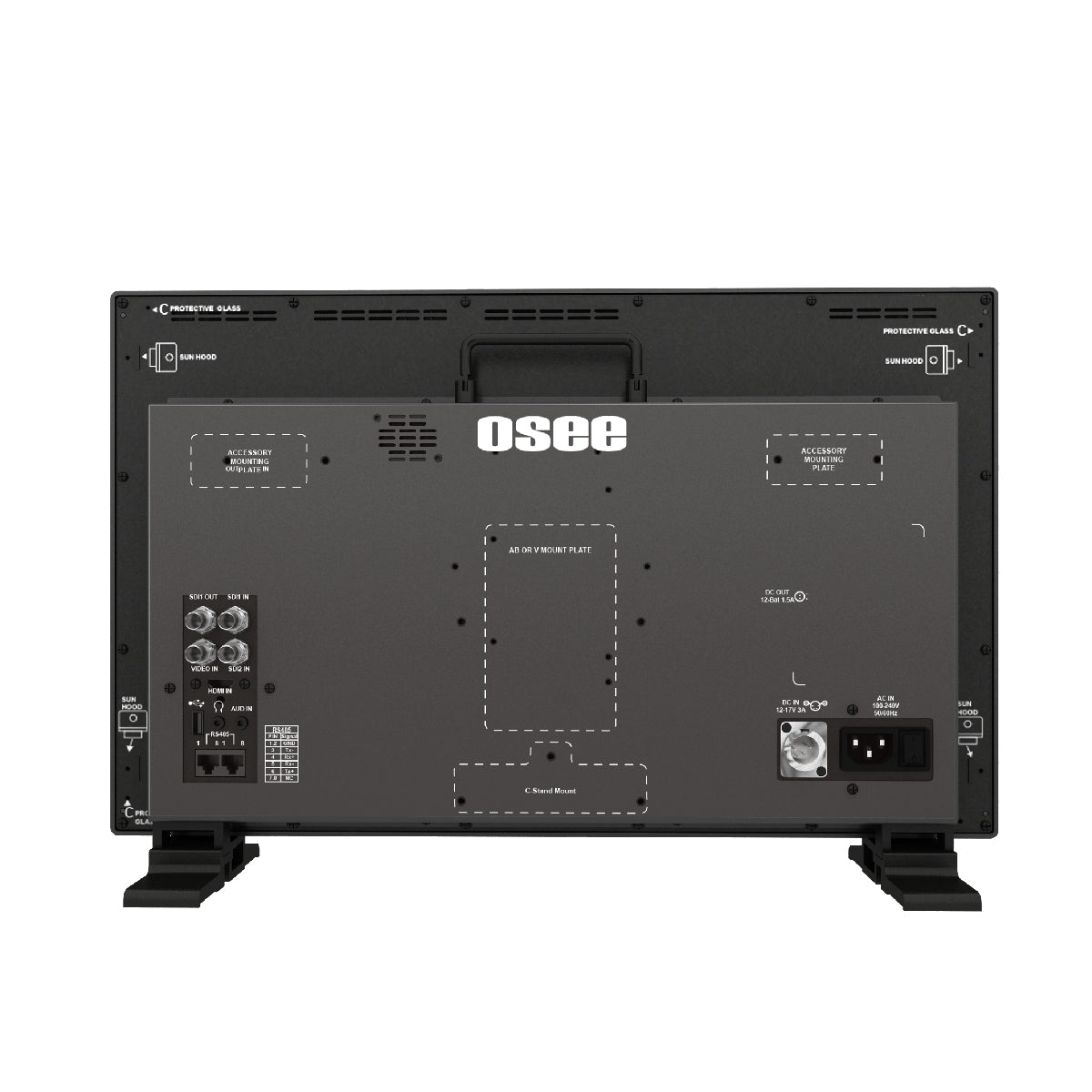
LCM215-HDR+ 21.5inch 1500nits Field Monitor with Pelican 1600 Case Kit provides a 21.5-inch production display with 1920 x 1080 resolution, 1500-nit brightness, 10-bit colour depth, SDI and HDMI video input, and professional image-evaluation tools. This kit adds a Pelican 1600 case for transport and protection. Crews should compare brightness, screen size, resolution, colour calibration, waveform, false colour, focus peaking, LUT workflow, 3G-SDI or HDMI formats, loop output, power, battery plate, stand hardware, sun hood, case, ventilation, and whether one operator or a viewing group needs the screen.
Key Features
21.5-Inch 1500-Nit Display
The large high-bright screen supports camera, DIT, director, client, and video-village viewing in brighter production environments.
HDR and 10-Bit Monitoring
The 1920 x 1080 panel supports 10-bit colour depth, HDR evaluation, SDI, HDMI, and common exposure and focus tools.
Mobile Production Package
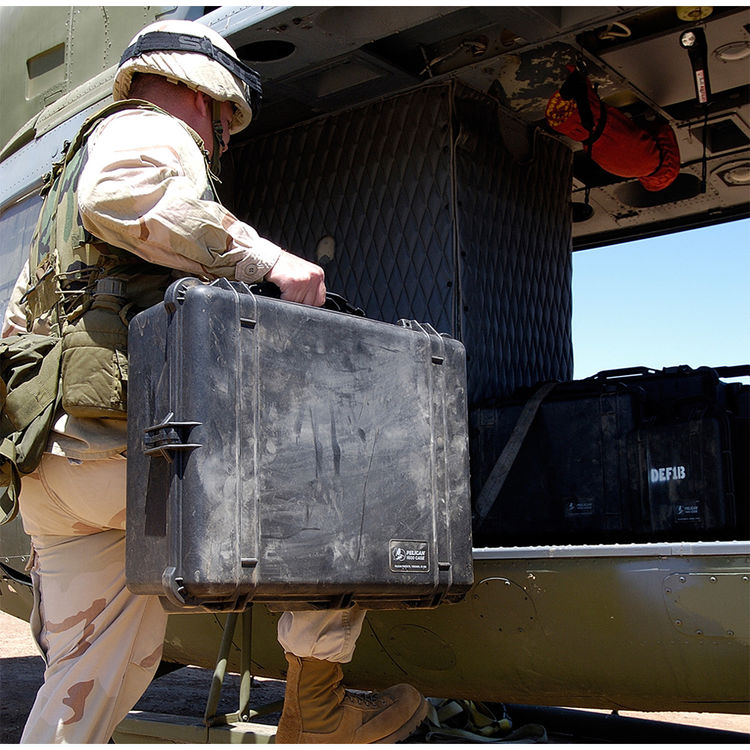
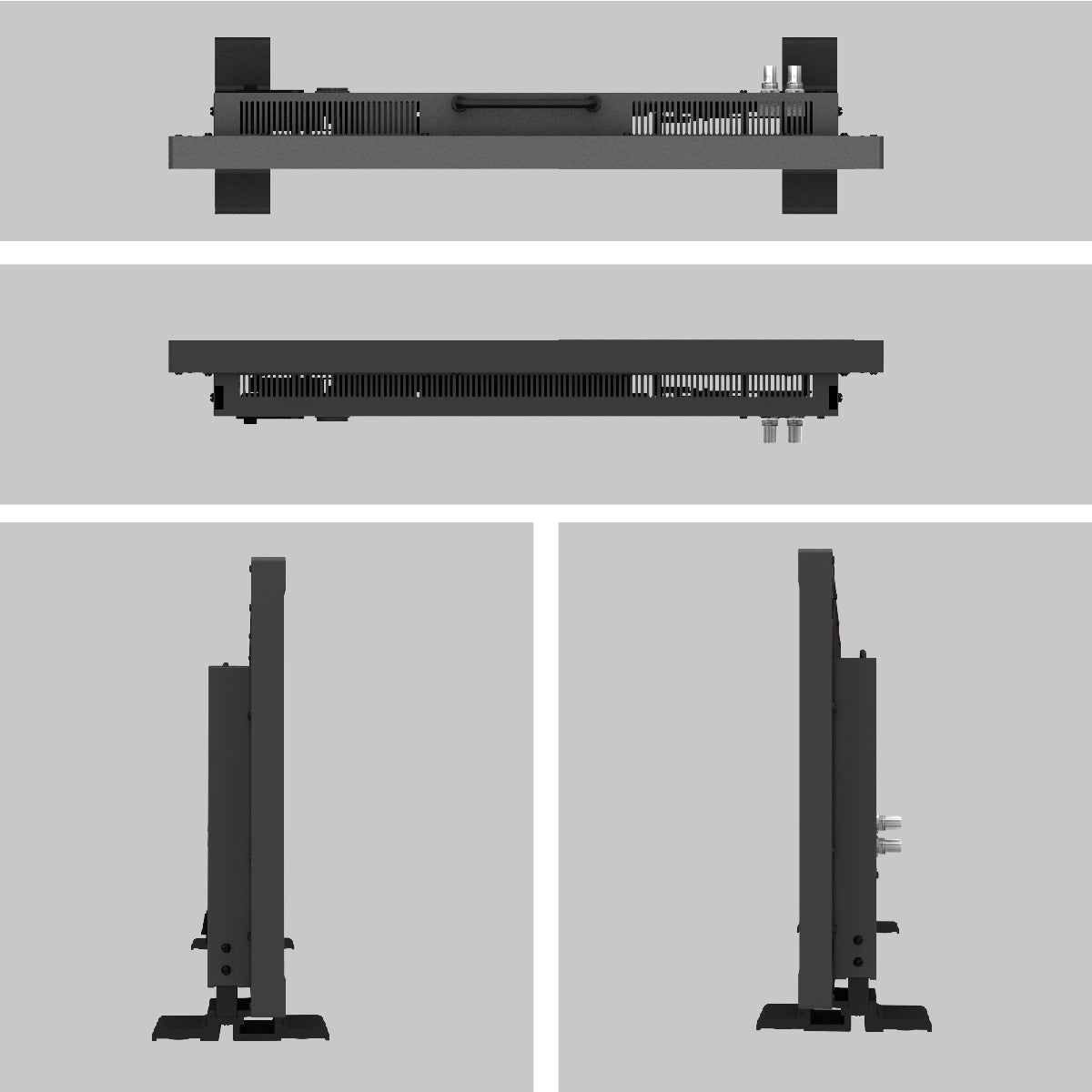
The Pelican 1600 case supports transport; match stand, C-stand adapter, battery plate, AC power, sun hood, and cable routing.
How It Compares
Choose the LCM215-HDR+ kit when HDR monitoring and a Pelican 1600 transport package matter. Choose Mega 22S when built-in self-calibration is the priority, or a smaller field monitor for lighter camera-top operation.
Compatible Accessories and Related Gear
Osee Mega 22S Production Monitor 21.5'' 1500 nits Color Self-Calibration. Match SDI or HDMI signal format, frame rate, colour and LUT workflow, input and loop output, AC or battery power, V-Mount or Gold Mount plate, stand or C-stand hardware, sun hood, case, ventilation, and cable strain relief.
Who Is This For?
For DITs, cinematographers, directors, focus pullers, camera teams, studios, rental houses, live-production crews, and clients sharing a larger field display.
Who Should Choose Something Else?
Choose a smaller monitor for on-camera mobility, a higher-resolution reference display for colour finishing, a brighter monitor for extreme sunlight, or a multiview monitor when several sources must appear at once.
In the Box
- LCM215-HDR+ 21.5inch 1500nits Field Monitor with Pelican 1600 Case Kit
Specifications
- Panel size: 21.5 inches
- Resolution: 1920 x 1080
- Brightness: 1500 nits
- Colour depth: 10 bit
- Video inputs: SDI and HDMI
- Transport: Pelican 1600 case kit
Product Video
See the manufacturer presentation for the product design, setup, and intended production workflow.
FAQ
What is this 21.5-inch field monitor used for?
It gives camera, DIT, director, focus, client, and video-village teams a large 1500-nit display for framing, exposure, focus, colour, LUT, and signal evaluation. Model reference: LCM215-HDRPLUS-KIT-V-Pelican.
Which video connections and formats should be checked?
Match the camera or switcher output to the monitor's SDI or HDMI input, supported resolution and frame rate, loop output, cable rating, colour range, and LUT workflow. Model reference: LCM215-HDRPLUS-KIT-V-Pelican.
How should the monitor be powered and mounted?
Plan AC or battery power, the correct V-Mount or Gold Mount plate, stand or C-stand hardware, load capacity, tilt, sun hood, ventilation, cable strain relief, and operator position. Model reference: LCM215-HDRPLUS-KIT-V-Pelican.
When is a smaller or different monitor better?
Choose a smaller monitor for camera-top mobility, a brighter display for extreme daylight, a reference monitor for finishing, or a multiview screen for several simultaneous sources. Model reference: LCM215-HDRPLUS-KIT-V-Pelican.
Where can I buy OSEE production monitors in Canada?
Filmgear Canada ships across Canada and can help compare screen size, brightness, calibration, SDI, HDMI, LUTs, exposure tools, power, stand hardware, case, and cable routing. Model reference: LCM215-HDRPLUS-KIT-V-Pelican.
Where to Buy in Canada
Buy LCM215-HDR+ 21.5inch 1500nits Field Monitor with Pelican 1600 Case Kit from Filmgear Canada with Canada-wide shipping and Vancouver-based help for model fit, system planning, and production workflow.
We have a 14-day return policy, which means you have 14 days after receiving your item to request a return.
To be eligible for a return, your item must be in the same condition that you received it, unworn or unused, with tags, and in its original packaging. You’ll also need the receipt or proof of purchase. For opened or used items, a minimum 15% restocking fee may apply depending on the item condition.
To start a return, you can contact us at info@filmgearcanada.com. If your return is accepted, we’ll send you instructions on how and where to send your package. Items sent back to us without first requesting a return will not be accepted.
You can always contact us for any return-related questions at info@filmgearcanada.com.
Important Notice for Special Order Items
Certain professional and project-based products are supplied on a Special Order basis and are subject to different return conditions. Please review the “Special Order Items” section below before placing your order.
Damages and Issues
Please inspect your order upon reception and contact us immediately if the item is defective, damaged, or if you receive the wrong item, so that we can evaluate the issue and make it right.
If an item is defective within 14 days of delivery, email info@filmgearcanada.com with a short video of the problem and the serial number, or bring it to our showroom. Once we confirm the defect, we’ll replace it (or refund it if a replacement isn’t available) and handle the manufacturer claim ourselves.
For Special Order items, damage or defect claims must be reported immediately upon delivery and will be handled in accordance with the manufacturer’s warranty terms.
Exceptions / Non-returnable Items
Special Order Items (Final Sale)
Certain professional, project-based products are supplied on a Special Order basis and are not regularly stocked. Special Order items are final sale and cannot be returned, exchanged, or refunded once the order has been confirmed with the manufacturer. Special Order items are final sale whether they ship from our stock or are ordered from the manufacturer.
These items are ordered specifically for individual projects and may include, but are not limited to:
- Professional wireless communication systems
- Large-scale lighting equipment
- Studio carts and grip equipment
- Cine lenses and special production gear
Please ensure compatibility and project requirements before placing your order. If you have any questions regarding lead time or suitability, we strongly recommend contacting us prior to purchase.
In addition, we do not accept returns for open box, demo or clearance items, gift cards, hazardous materials, flammable liquids or gases.
Exchanges
The fastest way to ensure you get what you want is to return the item you have. Once the return is accepted, you may place a new order for the desired item.
Refunds
We will notify you once we’ve received and inspected your return and let you know if the refund was approved or not. If approved, you’ll be automatically refunded on your original payment method. Please note that it may take some time for your bank or credit card company to process and post the refund.