
By Eric Chen, Filmgear Canada · November 2026
To build a cinema rig around the Nikon ZR, start with the shot you need to get. For a solo handheld shoot, our pick is an EN-EL15c battery, a basic cage, a native Z lens and a CFexpress Type B card chosen for your recording mode. If the camera will spend the day on a tripod with a PL zoom, work out external power and lens support before choosing the cage. We have not shot with the ZR ourselves. Our advice draws on Nikon’s documentation and the mount options we carry.
Choose power before you choose a cage
For a handheld setup you’ll carry between locations, start with Nikon’s EN-EL15c in the body. For a seated interview, decide where the power source will sit while the camera is rolling. Nikon lists USB Power Delivery from an EH-8P adapter, a computer or a power bank. Leave a battery in the camera when using USB power. Nikon Canada also lists external V-mount batteries as compatible via USB-C.
If your existing battery has a D-Tap output, there is a separate cable option to consider, the Kondor Blue D-Tap to Nikon EN-EL15 dummy battery cable. Decide which connection you’ll use before adding a power kit to the order.

Choose the cage for the way you’ll hold or support the camera
Picture the next shot. Will you hold the camera by the body, reach for a top handle or set it down on a rig with rods? Here’s our counter rule. Pick your power source, pick the cage that suits the shot, then match the lens mount.
| Tier and kit | Best for | What it does well | What could change the choice |
|---|---|---|---|
| Basic or base SmallRig Basic 5467 or Tilta Base Kit |
A solo operator who wants a cage and plans to hold the ZR by the body. | Gives you a starting point while you decide what else you’ll actually use. | If you already want two handles, compare the kit that names both. |
| With handles SmallRig Advance 5468 |
Handheld work where you’ll move between a side grip and a low shot. | The kit specifies both a top handle and a side handle. You can plan both grips with one kit. | If the camera will stay on a tripod throughout the interview, decide whether you’ll use either handle. |
| Power Tilta Power Kit |
An interview setup where external power is part of the plan. | Puts the cage and power decision together while you lay out the rig. | Check the kit contents against your battery and cable before choosing it. |
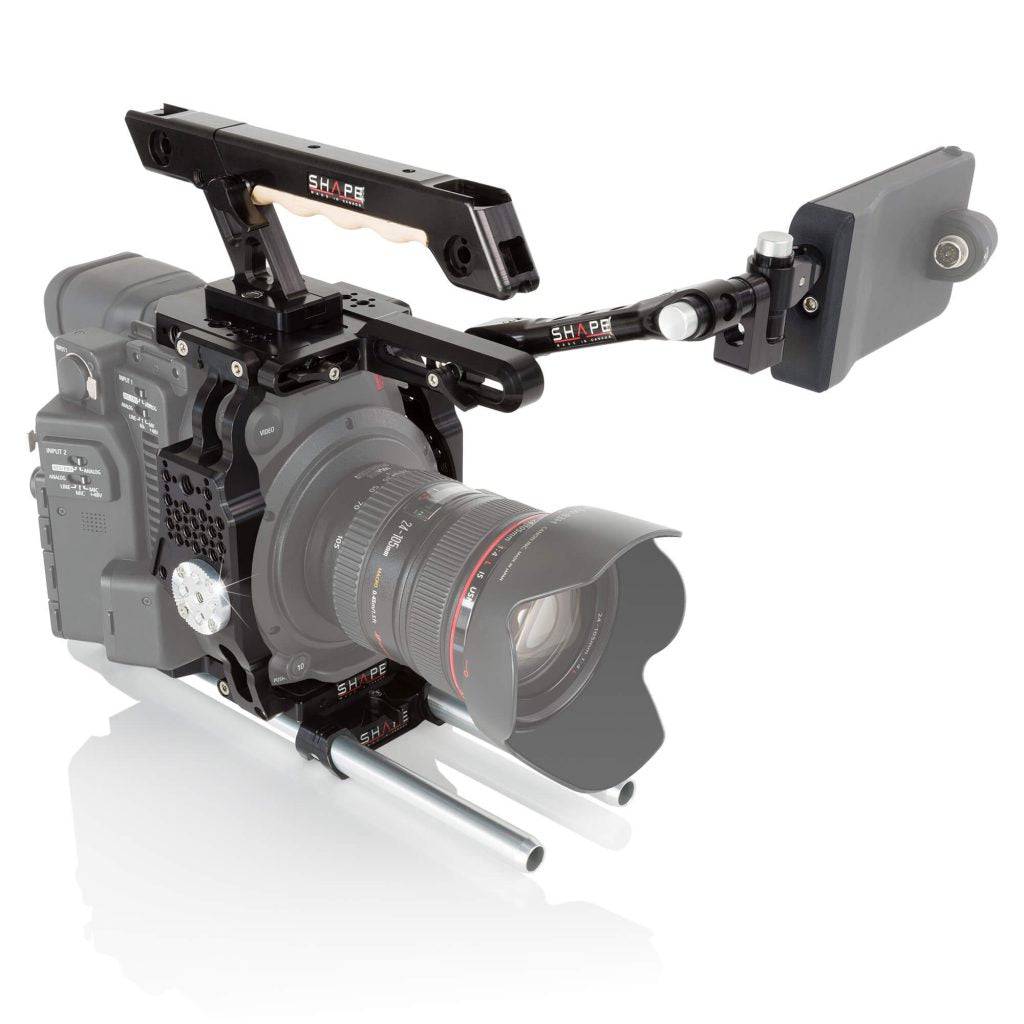
| Full 15 mm LWS SHAPE Full Creator Kit |
A crew planning around 15 mm lightweight support (LWS), a rod standard. | Gives you a named support standard to match when selecting accessories. | If your next shoot calls only for a cage and grips, the handle kit is the closer fit. |
Also comparing the Tilta Full Camera Cage, SHAPE Creator or Kondor Blue ZR Cage? Check the individual kit contents for the specific grip or support you need. If a focus system is part of your rod setup, our focus control guide covers that choice separately.

Start with native Z glass or match the adapter to the lens you own
A native Z-mount lens goes straight onto the ZR. If you already own cine lenses, read the mount marking on the lens before ordering an adapter. That detail matters with a DZOFILM Catta Ace PL/EF kit. Choose a PL-to-Z adapter when the lens is configured for PL.
For a PL-mount Arles, Catta Ace or Vespid, we carry the DZOFILM Octopus Adapter II PL-Z and the NiSi ATHENA PL-Z. Both adapt a PL lens to the camera’s Z mount. If you’re choosing the zoom as well, see our DZOFILM cine zoom comparison.
A Leica M or E-mount Thypoch Simera-C needs an adapter to Z. Ask us before you buy. For anamorphic lenses, our Arcana, Pavo and Viper guide covers the lens choice. The Arcana stabilisation question is covered below.

Choose your recording mode before buying the card
Nikon lists RAW recording at up to 6048 × 3402 at 59.94p, often called 6K60. If that’s the mode you plan to use, use a CFexpress Type B card fast enough for RAW, and check Nikon’s card list. Owners report stopped N-RAW 6K60 recordings on some cards. When packing for a shoot, record a clip on your own card at the setting you intend to use.
The two slots take different media. Nikon Canada lists CFexpress Type B for the primary slot and microSD (UHS-I) for the secondary slot. Keep the recording mode in mind when comparing cards, even if you already own media that fits.
Firmware 2.00 adds Log3G10 for H.265 and new monitoring options
Nikon released version 2.00 on November 24, 2026. For crews recording H.265, Nikon added the Log3G10 tone mode and four High ISO NR (noise reduction) settings with Log3G10 or N-Log. For crews monitoring with a 3D LUT, a look-up table that changes how the image is displayed, Nikon added LUTs on HDMI output and focus peaking while recording R3D NE with a LUT applied.
Nikon also lists command dial assignments for ISO, exposure settings, white balance and white balance colour temperature, plus an Fn button assignment for 3D LUT/View Assist. New processing suppresses frame-to-frame black level fluctuation. Nikon’s notes don’t mention a third-party lens lockout, an HDMI banding fix or an audio sync fix.
Update with a NIKKOR Z lens or no lens fitted, and remove third-party adapters first. Check Nikon’s download page for the full procedure.
ZR owner questions about cards, adapted lenses and firmware
Why did my N-RAW 6K60 recording stop?
Owners report stopped N-RAW 6K60 recordings on some cards. Check your exact CFexpress Type B card against Nikon’s card list. Those reports alone cannot establish what stopped a particular clip.
Does firmware 2.00 lock out third-party lenses?
Nikon’s 2.00 notes don’t mention a third-party lens lockout. Check compatibility for your specific lens and adapter.
Should I take my adapter off before updating?
Remove third-party adapters first. Update with a NIKKOR Z lens or no lens fitted, following Nikon’s download procedure.
Does 2.00 fix HDMI banding?
Nikon’s 2.00 notes don’t mention an HDMI banding fix. The HDMI change Nikon lists is the ability to apply a 3D LUT to the output.
Did Nikon fix audio sync in 2.00?
Nikon’s 2.00 notes don’t mention an audio sync fix. If sync matters to your setup, check a recording with your usual audio source before the shoot.
Will in-body stabilisation work with a DZOFILM Arcana?
Nikon lists five-axis sensor-shift stabilisation for the ZR. For a lens without electronic communication, check Nikon’s manual for non-CPU lens data. The body specification alone does not establish how stabilisation behaves with the Arcana.
Which Sony E-to-Z adapters do ZR owners discuss?
Owners discuss Megadap and Viltrox E-to-Z adapters. Check the specific lens and adapter pairing before basing a rig on it.
What adapter do owners discuss for Canon EF lenses?
Owners discuss the Fringer II for EF lenses on the ZR. Confirm the exact lens and adapter combination before choosing that route.
For a first handheld rig, we’d choose the basic cage
We’d pair the SmallRig Basic 5467 with the internal battery and a native Z lens, then put the card through a recording in the intended mode. If you already know you’ll use a top grip for low shots and a side grip the rest of the day, choose the SmallRig Advance 5468 with both handles.
Buying in Canada. Filmgear Canada is a camera and cinema gear store in Vancouver, and an authorized Canadian dealer for SmallRig, Tilta, Kondor Blue, DZOFILM, NiSi and Thypoch. Qualifying Canadian orders over $199 CAD ship free. If you’re putting together a Canadian order, tell us which battery and lens mount you already own and how you plan to hold the camera. We can help you narrow the cage and adapter choices before you order.
Sources. Body, recording and power specifications from the Nikon ZR online manual and Nikon Canada ZR overview, read November 23, 2026. Firmware changes and update guidance from Nikon’s version 2.00 announcement, the Nikon Download Center and the update caution reproduced by Newsshooter, as documented November 24, 2026.
Share:
Aputure STORM CS32 vs Electro Storm CS15: Which Fits Your Set?