




Atomos Ninja TX Camera To Cloud Monitor Recorder
SKU: ATOM-NJTX01
Couldn't load pickup availability
Pickup available at Filmgear Canada (enter at 945 E Cordova St)
Usually ready in 2 hoursPairs well with
Atomos Ninja TX Camera To Cloud Monitor Recorder
If you have any questions, you are always welcome to contact us. We'll get back to you as soon as possible, within 24 hours on weekdays.
-
Shipping Information
Ships from Vancouver, BC across Canada. Free standard shipping on orders over $199 CAD (remote areas and oversize or overweight items excluded). In-stock orders placed before 2 PM Vancouver time ship the same business day. Pre-order and special order items ship when they arrive. Local pickup at our 945 E Cordova St showroom, usually ready in 2 hours for in-stock items.
-
Customer Support
Email info@filmgearcanada.com or call (604) 269-4161. Our team gives pre-purchase advice, helps you spec the right model for your shoot, and confirms compatibility before you order. Open Monday–Saturday, 9:30 AM – 5:00 PM PT. In-store consultation at our Vancouver, BC showroom.
-
FAQ’s
Authorized Canadian dealer for Aputure, amaran, DJI, Nanlite, Tilta, and more. All products include full manufacturer warranty and Canadian-side support. For B2B / production-house pricing or net terms, email info@filmgearcanada.com — we work with crews and studios across Canada.
-
Contact Us
Filmgear Canada — 945 E Cordova St #108, Vancouver, BC V6A 1H9. Phone: (604) 269-4161. Email: info@filmgearcanada.com. Showroom open Mon–Sat, 9:30 AM – 5:00 PM — walk-ins welcome, no appointment needed.
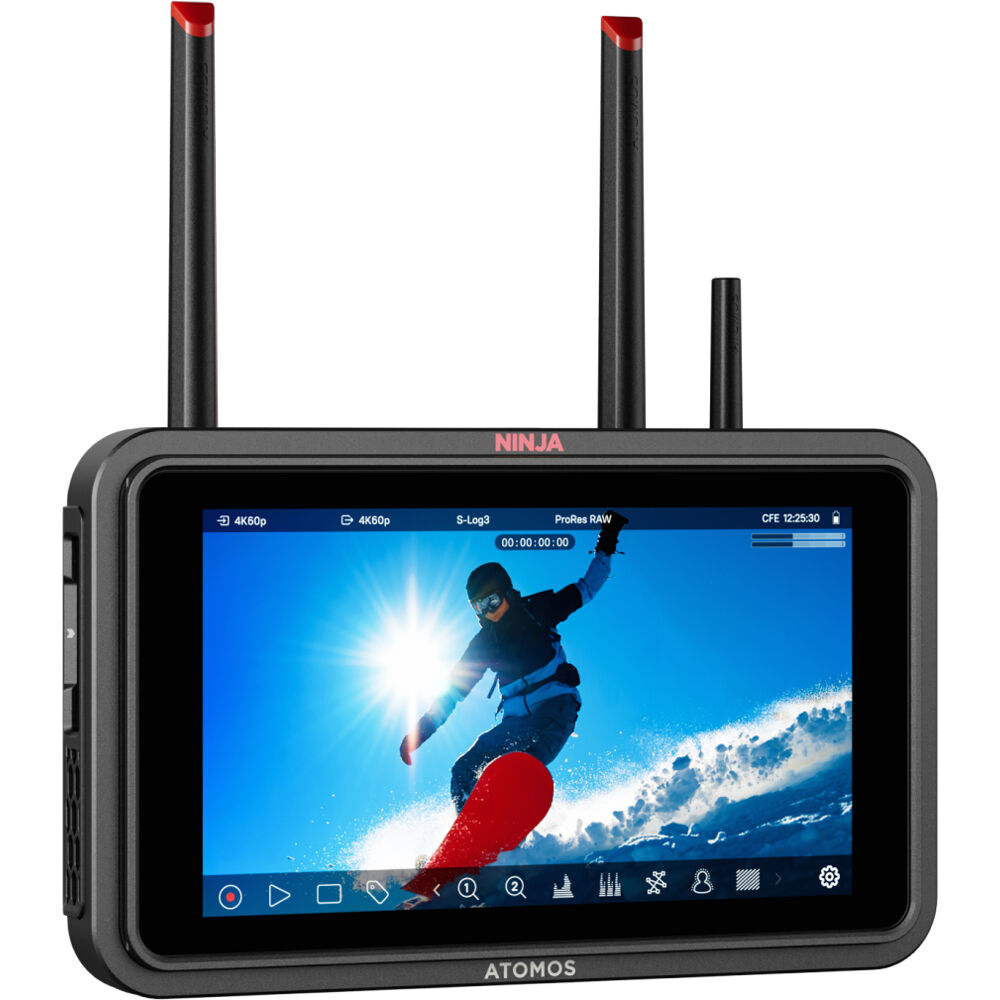
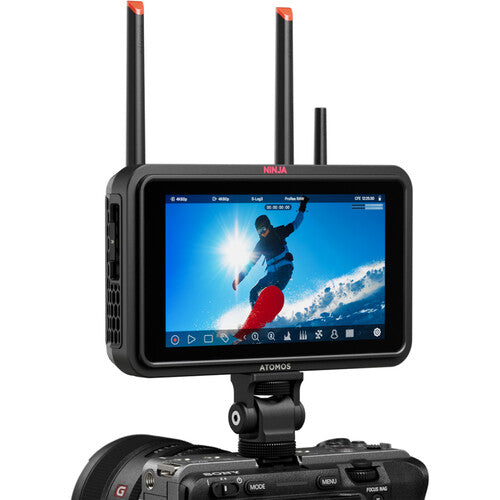
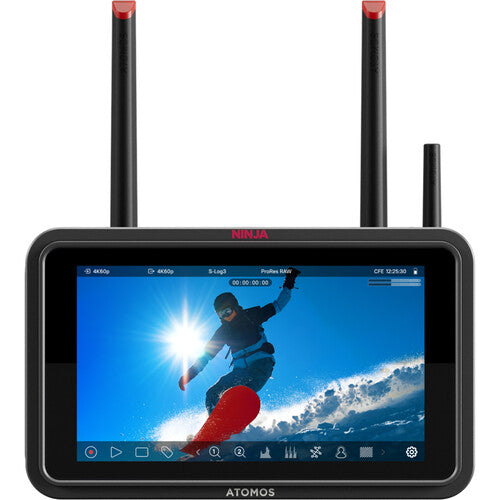
The Atomos Ninja TX is a 5.2-inch field monitor, external camera monitor and recorder with a 1500-nit touchscreen, HDMI 2.0 and 12G-SDI inputs and outputs, and built-in Wi-Fi for camera-to-cloud delivery. Buy it in Canada from Filmgear Canada, Vancouver's video monitoring and wireless video gear specialist.
Product Overview
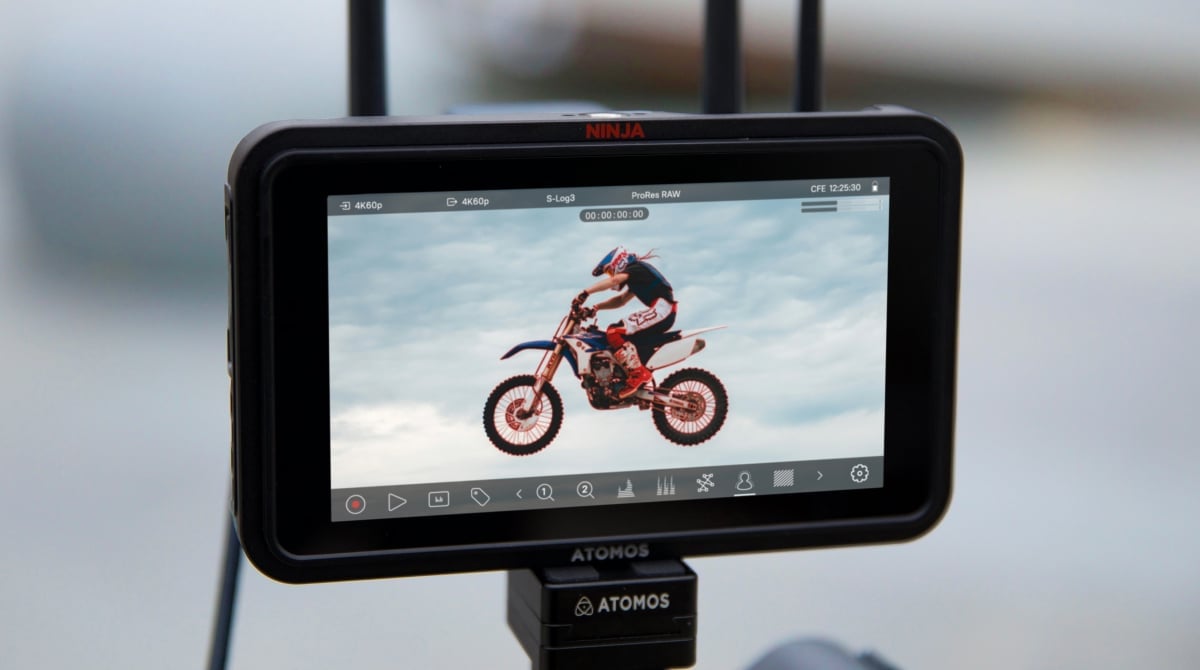
Ninja TX combines a brighter on-camera view with recording to CFexpress Type B or certified USB-C media. It can record ProRes RAW up to 8K30 or 6K60 when the connected camera provides a supported RAW output, alongside video formats up to 4K60 and 1080p120. That distinction matters: the screen itself is 1920 x 1080, and the recorder does not create an 8K signal from a lower-resolution camera. HDMI and SDI let the same recorder serve mirrorless-camera rigs and SDI production cameras, while wireless cloud delivery connects the location shoot with an editor elsewhere. As a 4K field monitor and recorder, it accepts supported 4K signals while showing them on its Full HD screen; input resolution and panel resolution are different specifications.
Key Features
1500-nit monitoring with exposure and focus tools
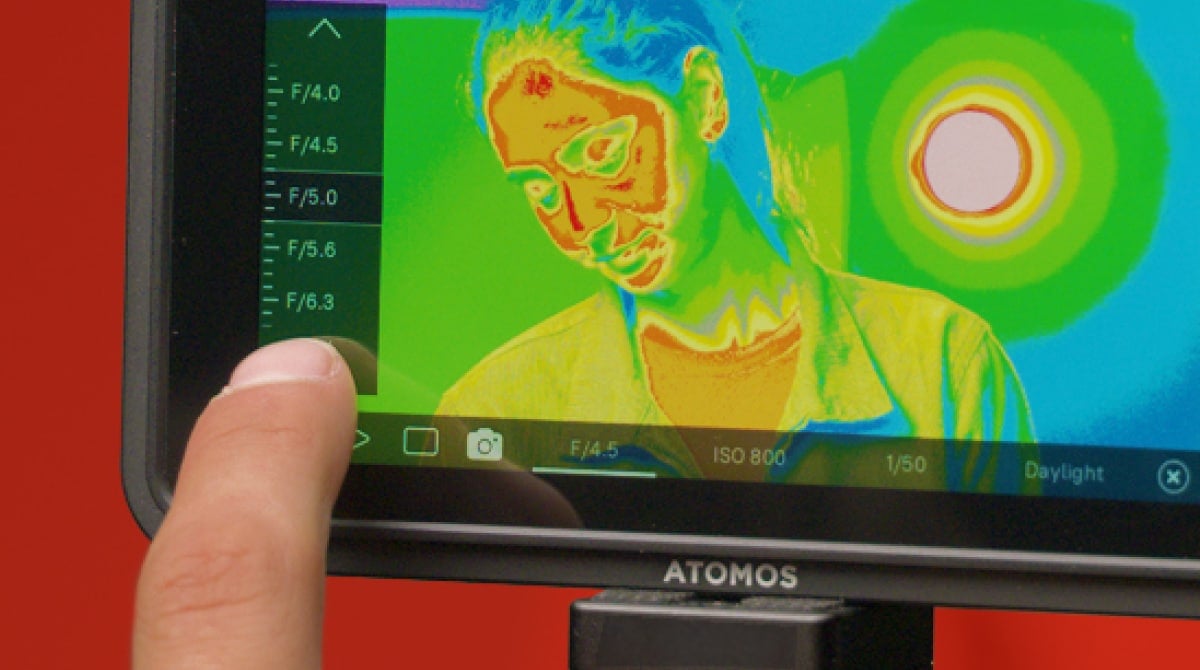
The 5.2-inch touchscreen provides a 1920 x 1080 view with EL Zone false color, waveform, RGB parade, vectorscope, peaking, zebras, frame guides and anamorphic de-squeeze. Use these tools together: brightness helps you see the image outdoors, but a scope or false-color view gives a more useful exposure reference than judging the picture alone.
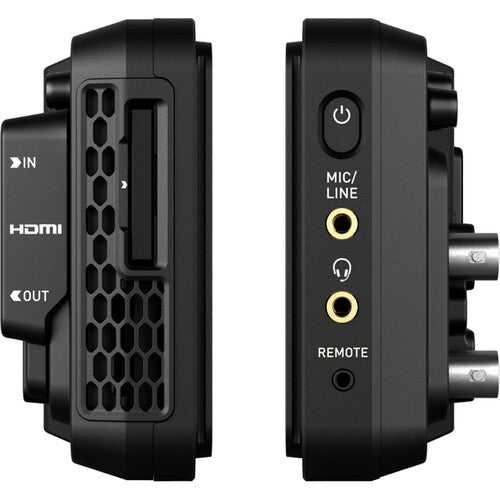
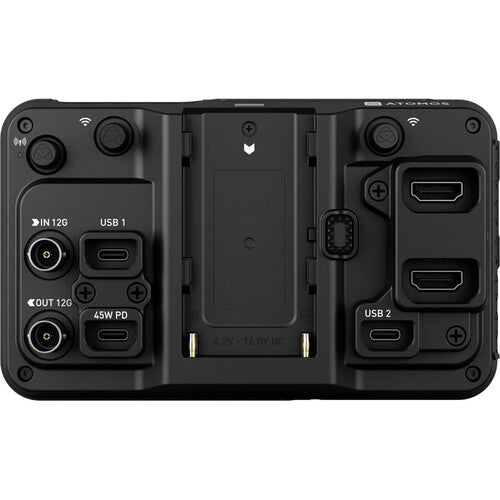
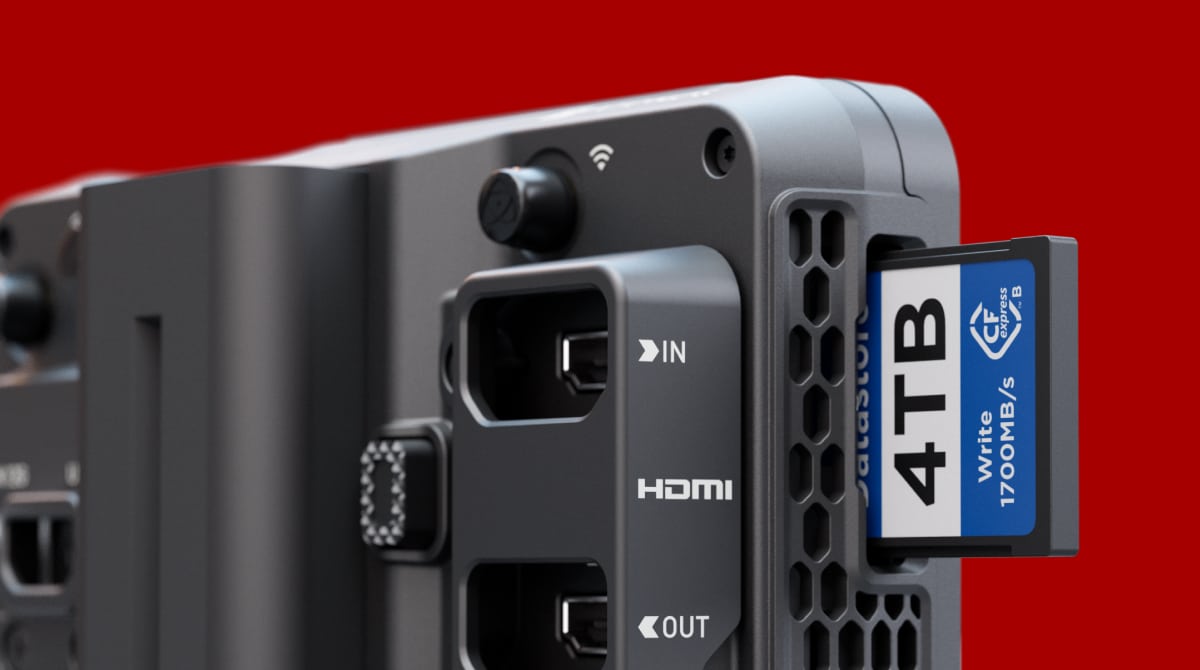
HDMI 2.0 and 12G-SDI in one recorder
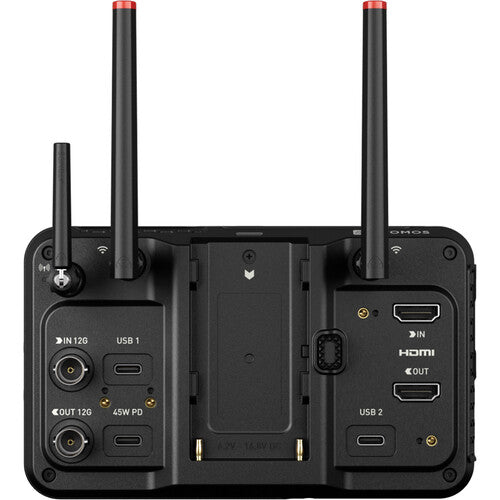
Both interfaces have inputs and outputs, with HDMI/SDI cross conversion. Plan the input signal, clean feed and downstream connection before the shoot; connector compatibility alone does not establish RAW-format compatibility.
ProRes RAW, ProRes, Avid DNx and H.265
Select the recording format with the editor rather than choosing RAW automatically. The codecs serve different editing, storage and delivery requirements. Confirm that the camera output and intended resolution/frame rate are supported by the Ninja TX and the post-production software.
CFexpress Type B and USB-C recording
Choose Atomos-certified CFexpress Type B cards or certified USB storage for the intended recording mode. Media is sold separately. Size storage around the codec, shooting ratio and offload routine, and test sustained recording before taking a new card or drive onto set.
Camera-to-cloud and NDI networking
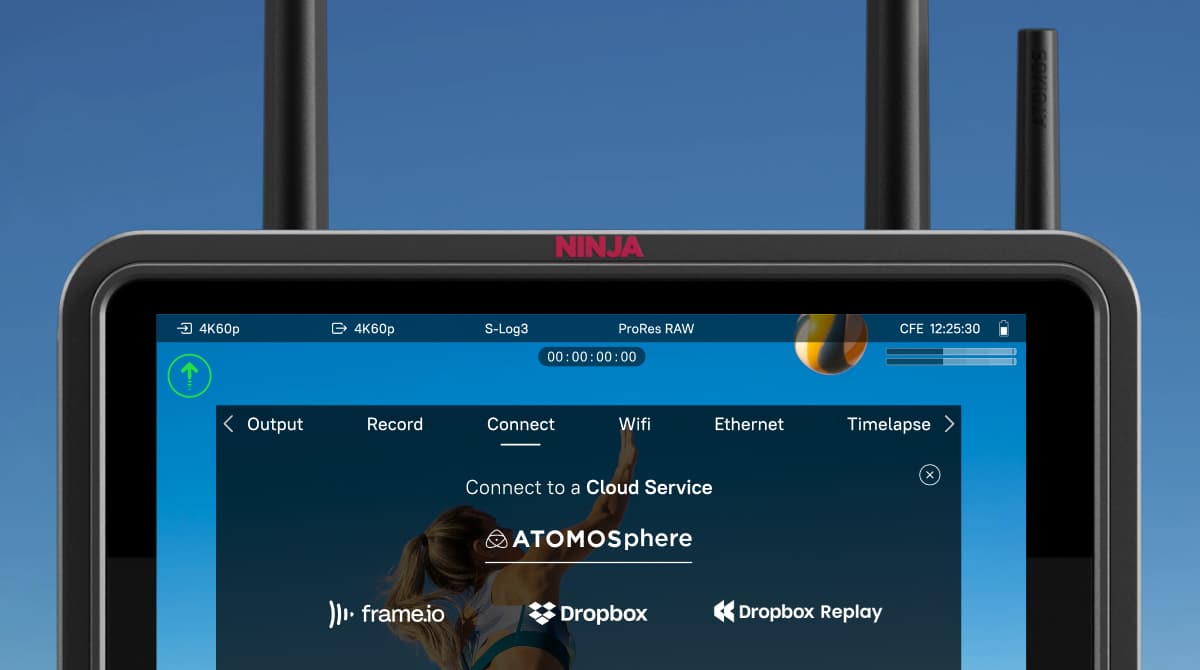
Wi-Fi 6E is built in, with direct upload to ATOMOSphere, Frame.io or Dropbox and included NDI 6/HX3 transmit/receive capability. Network access, bandwidth and platform account or subscription requirements still apply. Cloud transfer is a delivery path, not a substitute for checking the local recording.
AirGlu synchronization and supported camera control
AirGlu provides RF and Bluetooth timecode functions for compatible devices. USB-C camera control and touch-to-focus are available only with supported camera models and settings. Check the current Atomos compatibility list before relying on a specific camera-control or RAW workflow.
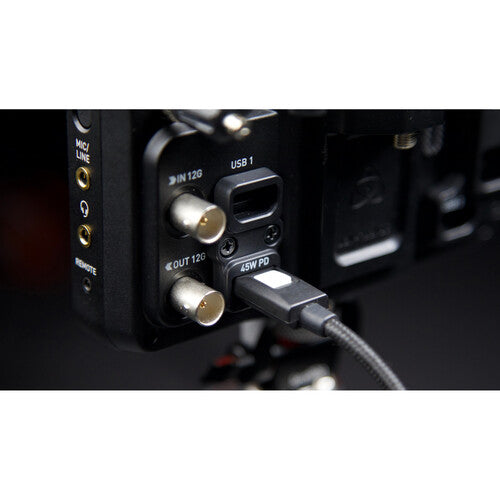
NP-F or USB-C PD power
Use an NP-F battery for a compact field setup, or a suitable USB-C PD source for a powered position. The technical specification calls for a 65W-capable PD supply and lists operating consumption up to 30W. Include battery weight and cable clearance when positioning the monitor above a camera.
How It Compares
Choose Ninja TX when you need 12G-SDI as well as HDMI, AirGlu timecode and the higher RAW recording ceiling. Ninja TX GO retains a 1500-nit screen, Wi-Fi and CFexpress/USB recording but is HDMI-only and supports up to 6K30 ProRes RAW; it is a separate model, not an interchangeable SDI configuration. Choose a Shinobi monitor when the camera's internal recording is sufficient and you need a viewing display rather than an external recorder. Keep comparison decisions separate from accessories: another monitor does not add recording capabilities to this one.
Compatible Accessories and Related Gear
- Atomos Ninja TX GO: Compare this same-family HDMI-only recorder when SDI and AirGlu are unnecessary.
- Atomos Shinobi GO: Compare a monitor-only purchase when external recording is not required.
Who Is This For?
For documentary and commercial camera operators who need SDI/HDMI flexibility, productions delivering clips to remote editors, and multicamera teams coordinating compatible timecode devices. It is also suitable for an owner-operator who wants exposure tools and external recording in one compact screen, provided the camera output supports the intended format.
Who Should Choose Something Else?
Choose TX GO when an HDMI-only recorder meets the project. Choose a monitor-only display if you will record solely inside the camera and do not need cloud or external-media recording. For a larger director or client viewing position, compare a larger screen rather than expecting a 5.2-inch on-camera display to serve a group. Check supported cameras, certified media, power and network availability before committing to RAW capture or remote delivery.
In the Box
- Ninja TX monitor-recorder
- USB-C locking cable adaptor
- USB-C locking cable, 45cm
- HDMI locking cable adaptor
- Two Wi-Fi antennas
- Five antenna tip sets: black, white, yellow, green and red
- AirGlu antenna and antenna caps
- Quick Start Guide
Specifications
| Screen | 5.2-inch touchscreen; 1920 x 1080; 1500 nits |
|---|---|
| Video connections | HDMI 2.0 and 12G-SDI input/output |
| RAW ceiling | Up to 6K60 / 8K30, supported camera output required |
| Video formats | Up to 4K UHD/DCI60 and 1080p120 |
| Codecs | ProRes RAW/HQ; ProRes LT/422/HQ; DNxHD/DNxHR; H.265 |
| Media | Atomos-certified CFexpress Type B or USB 3.0 media |
| Wireless/network | Wi-Fi 6E; Bluetooth; AirGlu; NDI 6/HX3 |
| Power | NP-F or USB-C PD; 65W-capable PD supply; up to 30W operating |
| Input voltage | 6.2–16.8V DC |
| Dimensions / weight | 151 x 92 x 36mm / 400g |
| Mounts | Anti-rotation 1/4-inch / 3/8-inch top and bottom |
Product Video
Inspect the screen, HDMI/SDI connections, media choices and connected recording features in Atomos' Ninja TX introduction.
FAQ
Does Ninja TX record 8K from every camera?
No. Up to 8K30 ProRes RAW requires a supported RAW output from a compatible camera. Confirm the exact camera, output mode, firmware, frame rate and certified media; the Ninja TX display is 1920 x 1080, not an 8K panel.
How is Ninja TX different from Ninja TX GO?
Ninja TX adds 12G-SDI connections alongside HDMI and includes AirGlu timecode. Its RAW ceiling is up to 8K30/6K60 versus up to 6K30 on the HDMI-only TX GO; both have 1500-nit screens, Wi-Fi and CFexpress/USB recording.
What recording media should I buy?
Use Atomos-certified CFexpress Type B or certified USB 3.0 media that meets the selected recording mode. Neither storage option is included, so plan card or drive capacity and a reader/offload path with the codec.
Can I power Ninja TX through USB-C?
Yes. Atomos lists NP-F and USB-C PD power, and the technical specification requires a 65W-capable PD supply. Operating consumption is listed up to 30W; choose a power adapter and cable that support the required PD negotiation.
Can it upload to Frame.io or Dropbox without extra hardware?
Wi-Fi connectivity and camera-to-cloud support are built in. A working network and the destination platform's account, purchase or subscription conditions still apply; verify the complete upload workflow before a time-critical shoot.
Does camera control work with any HDMI camera?
No. USB-C control and touch-to-focus depend on supported camera models and settings. Use the current Atomos camera-control list for the exact body; an HDMI picture on the monitor does not by itself establish control support.
Can I use it for multicamera timecode synchronization?
Ninja TX includes AirGlu RF and Bluetooth timecode functions. Match each camera, external recorder or sync device to the supported timecode path and test the system before recording.
What is not included in the Ninja TX box?
Recording media, an NP-F battery and a power supply must be selected separately. The box includes the monitor-recorder, locking adaptors, 45cm USB-C locking cable, antennas, antenna tips/caps and Quick Start Guide.
Where to Buy in Canada
Order Atomos Ninja TX Camera To Cloud Monitor Recorder from Filmgear Canada with Canada-wide shipping. Contact the Vancouver team for camera output, certified recording media, monitor mounting and power choices.
We have a 14-day return policy, which means you have 14 days after receiving your item to request a return.
To be eligible for a return, your item must be in the same condition that you received it, unworn or unused, with tags, and in its original packaging. You’ll also need the receipt or proof of purchase. For opened or used items, a minimum 15% restocking fee may apply depending on the item condition.
To start a return, you can contact us at info@filmgearcanada.com. If your return is accepted, we’ll send you instructions on how and where to send your package. Items sent back to us without first requesting a return will not be accepted.
You can always contact us for any return-related questions at info@filmgearcanada.com.
Important Notice for Special Order Items
Certain professional and project-based products are supplied on a Special Order basis and are subject to different return conditions. Please review the “Special Order Items” section below before placing your order.
Damages and Issues
Please inspect your order upon reception and contact us immediately if the item is defective, damaged, or if you receive the wrong item, so that we can evaluate the issue and make it right.
If an item is defective within 14 days of delivery, email info@filmgearcanada.com with a short video of the problem and the serial number, or bring it to our showroom. Once we confirm the defect, we’ll replace it (or refund it if a replacement isn’t available) and handle the manufacturer claim ourselves.
For Special Order items, damage or defect claims must be reported immediately upon delivery and will be handled in accordance with the manufacturer’s warranty terms.
Exceptions / Non-returnable Items
Special Order Items (Final Sale)
Certain professional, project-based products are supplied on a Special Order basis and are not regularly stocked. Special Order items are final sale and cannot be returned, exchanged, or refunded once the order has been confirmed with the manufacturer. Special Order items are final sale whether they ship from our stock or are ordered from the manufacturer.
These items are ordered specifically for individual projects and may include, but are not limited to:
- Professional wireless communication systems
- Large-scale lighting equipment
- Studio carts and grip equipment
- Cine lenses and special production gear
Please ensure compatibility and project requirements before placing your order. If you have any questions regarding lead time or suitability, we strongly recommend contacting us prior to purchase.
In addition, we do not accept returns for open box, demo or clearance items, gift cards, hazardous materials, flammable liquids or gases.
Exchanges
The fastest way to ensure you get what you want is to return the item you have. Once the return is accepted, you may place a new order for the desired item.
Refunds
We will notify you once we’ve received and inspected your return and let you know if the refund was approved or not. If approved, you’ll be automatically refunded on your original payment method. Please note that it may take some time for your bank or credit card company to process and post the refund.