
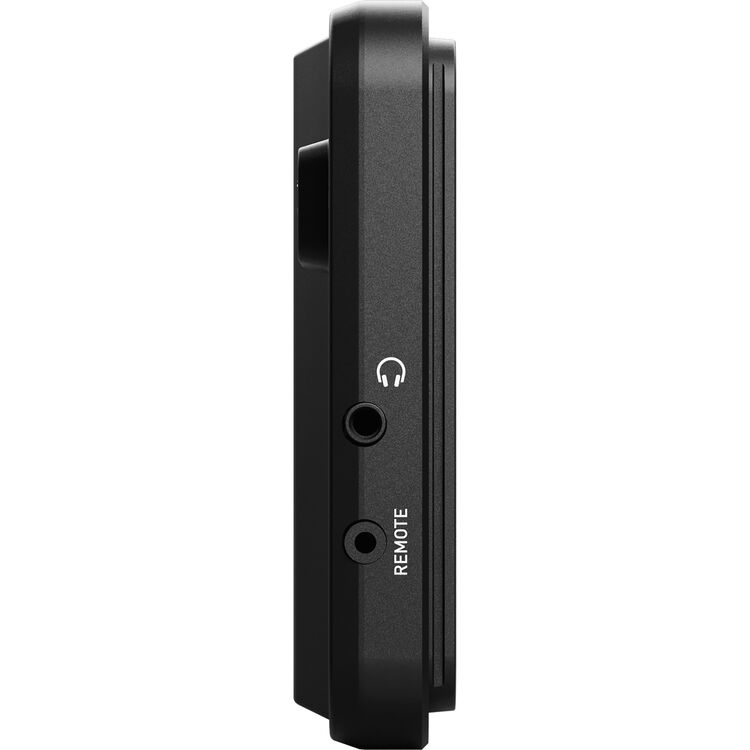


Atomos Shinobi GO 5.2" Touchscreen HDR Video/Photo Monitor
SKU: ATOM-SHB004
Pairs well with
Atomos Shinobi GO 5.2" Touchscreen HDR Video/Photo Monitor
If you have any questions, you are always welcome to contact us. We'll get back to you as soon as possible, within 24 hours on weekdays.
-
Shipping Information
Ships from Vancouver, BC across Canada. Free shipping on regular orders over $199 CAD (remote areas and oversize/overweight items excluded). In-stock items typically ship within 1 business day; special-order items ship once the supplier confirms — lead times on request. Local pickup at 945 E Cordova St showroom.
-
Customer Support
Email info@filmgearcanada.com or call (604) 269-4161. Our team gives pre-purchase advice, helps you spec the right model for your shoot, and confirms compatibility before you order. Open Monday–Saturday, 9:30 AM – 5:00 PM PT. In-store consultation at our Vancouver, BC showroom.
-
FAQ’s
Authorized Canadian dealer for Aputure, amaran, DJI, Nanlite, Tilta, and more. All products include full manufacturer warranty and Canadian-side support. For B2B / production-house pricing or net terms, email info@filmgearcanada.com — we work with crews and studios across Canada.
-
Contact Us
Filmgear Canada — 945 E Cordova St #108, Vancouver, BC V6A 1H9. Phone: (604) 269-4161. Email: info@filmgearcanada.com. Showroom open Mon–Sat, 9:30 AM – 5:00 PM — walk-ins welcome, no appointment needed.
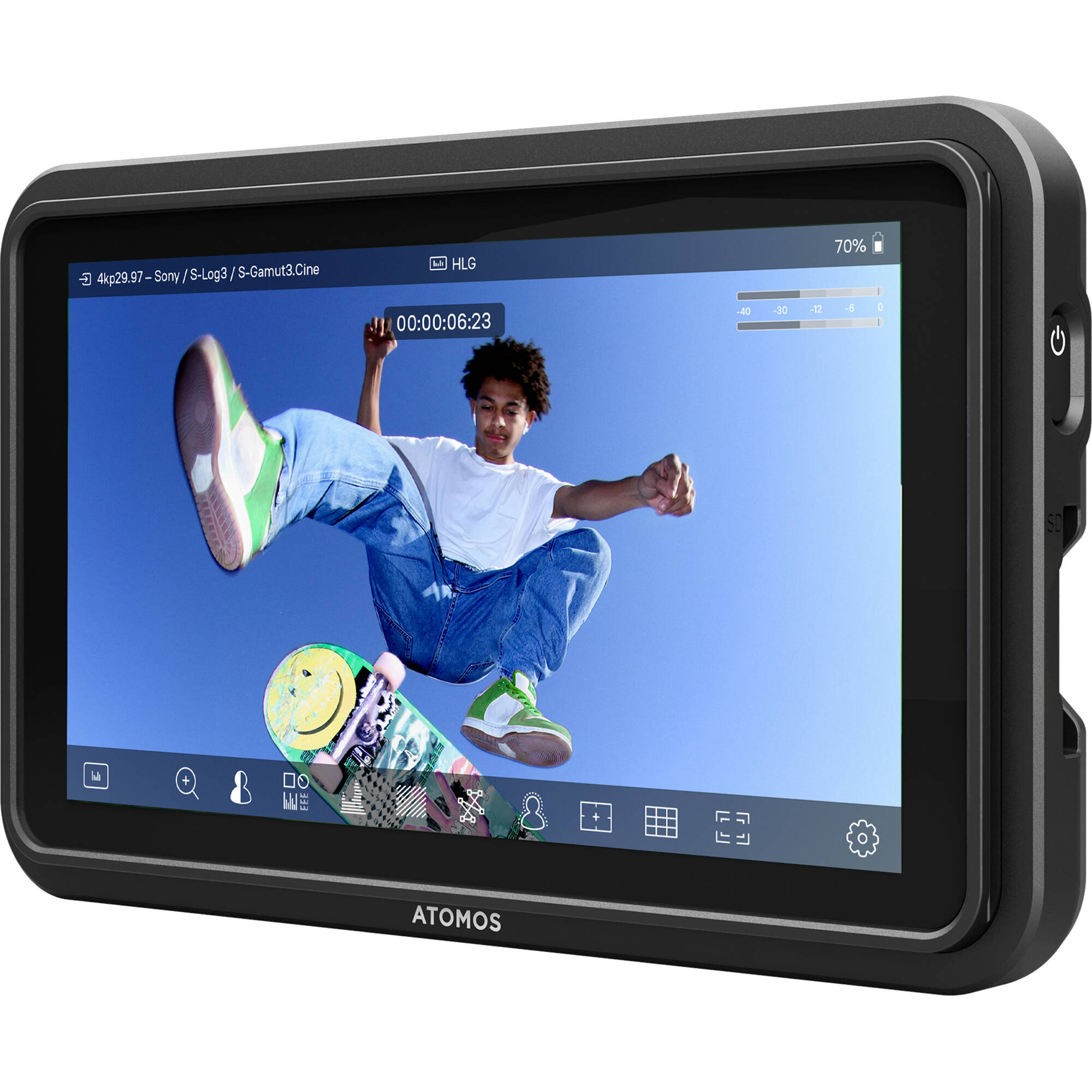
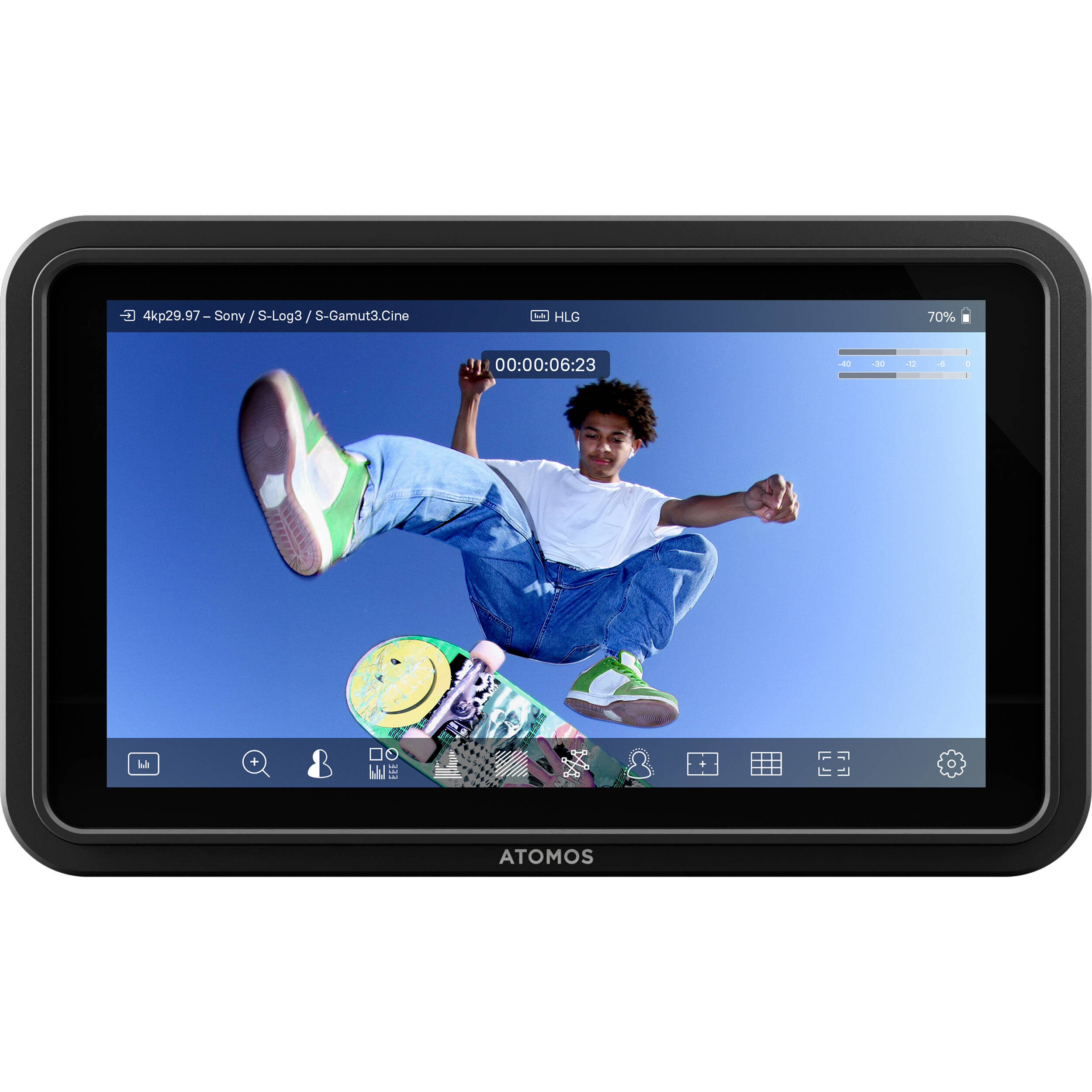
The Atomos Shinobi GO is a 5.2-inch field monitor and external camera monitor with a 1500-nit Full HD touchscreen, HDMI input up to UHD 4K30 and a lightweight 210 g monitor-only body. Buy it in Canada from Filmgear Canada, Vancouver's video monitoring and wireless video gear specialist.
Product Overview
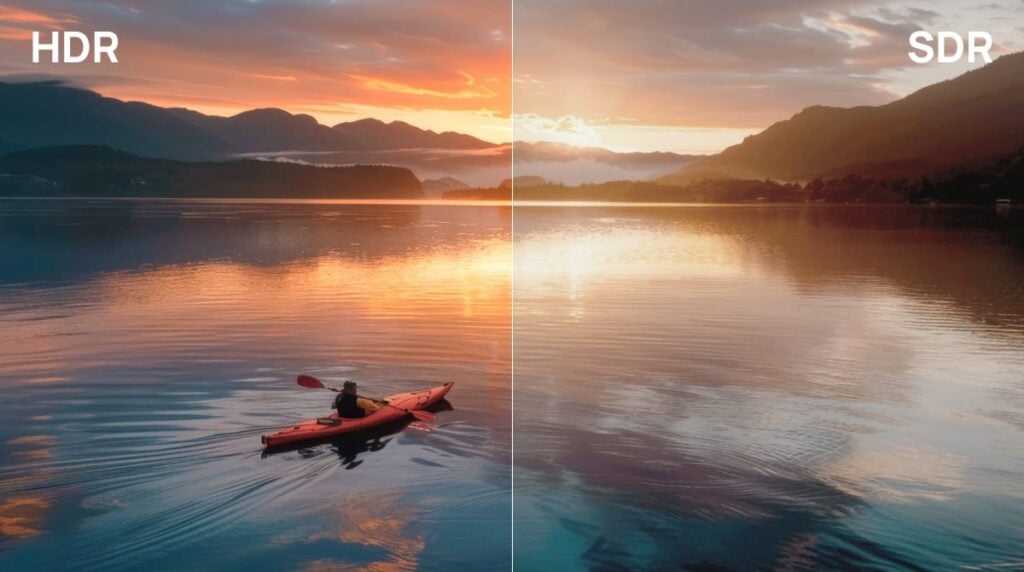
Shinobi GO gives photographers and video operators a larger view for composition, exposure and focus without carrying an external recorder. The 1920 × 1080 IPS panel is designed for on-camera viewing, with HDR preview, waveform, false colour, focus peaking and other monitoring tools. Connect a compatible camera's HDMI output at up to UHD 4K30 or 1080p60, then continue recording in the camera. As a 4K field monitor in an input-acceptance sense, it displays that incoming picture on a Full HD panel; it is not a native 4K screen and does not record 4K files. Its fanless body weighs 210 g before a battery, mount and cables are fitted. That suits compact handheld setups where a clear view matters more than external recording or camera control.
Key Features
1500-nit Full HD viewing
The 5.2-inch IPS touchscreen combines 1500-nit brightness with 1920 × 1080 resolution. A larger external view helps you inspect framing and focus when the camera's built-in display is awkward to see. Set a comfortable brightness for the position, then assess exposure with scopes or false colour rather than adjusting camera exposure to compensate for screen brightness. The panel specification is 10-bit using 8+2 FRC, not a native 10-bit panel claim.
HDMI input up to UHD 4K30
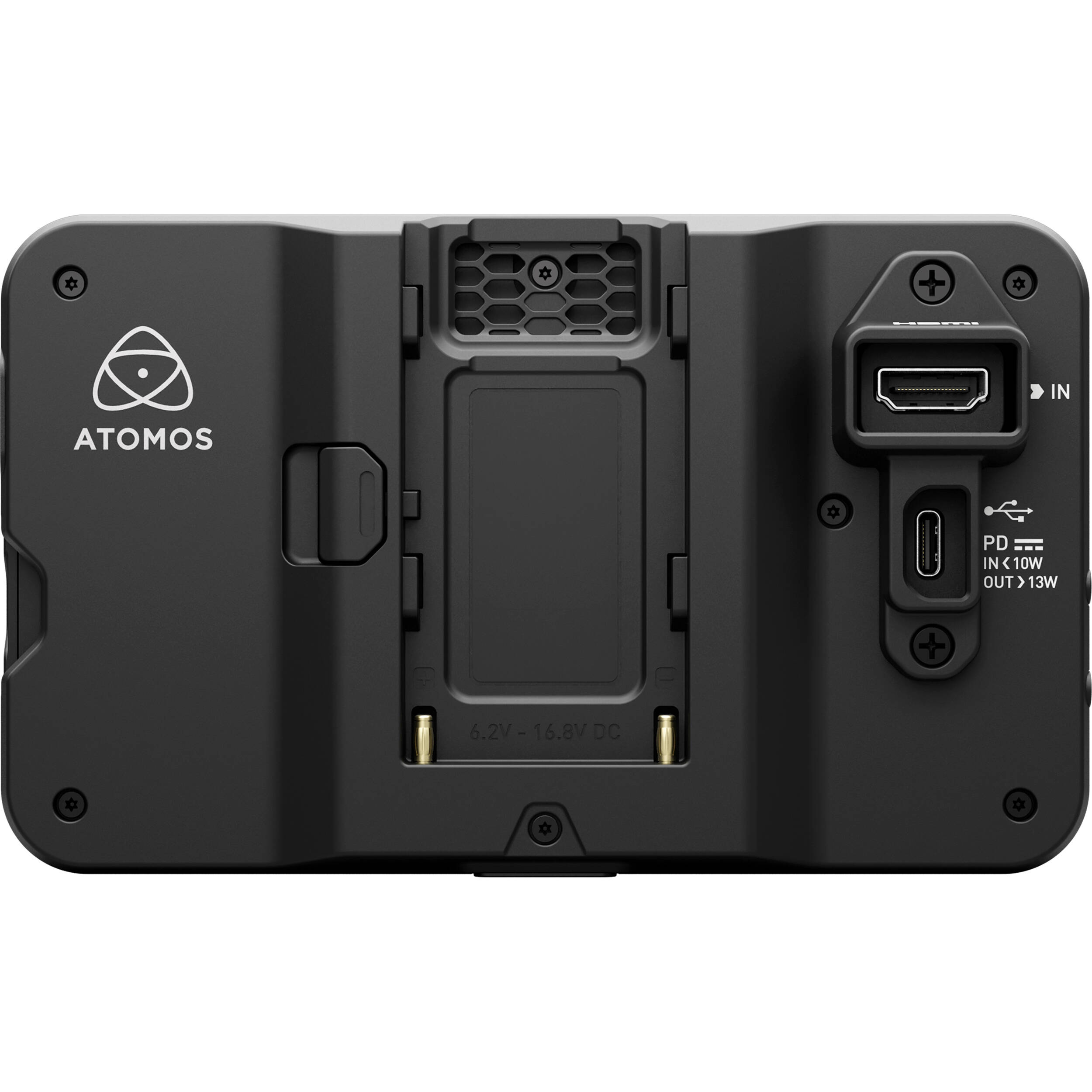
Shinobi GO accepts HDMI 1.4 signals up to UHD 3840 × 2160 at 30p and Full HD up to 60p. It is an input-only monitoring device, with no SDI input and no external recording. Set your camera's output to a supported format before use. Choose another monitor if the intended output requires 4K60, DCI 4K or SDI rather than assuming every signal described as 4K is interchangeable.
Exposure and focus monitoring tools
Waveform, RGB parade, vectorscope, histogram, false colour and zebras provide ways to examine exposure and colour balance. Focus peaking and image magnification support focus checks; frame guides and image flip help with composition and viewing orientation. Select the tools needed for the shot rather than covering the image with every overlay. Test their operation with the camera output before a production day.
HDR, log and 3D LUT preview
Preview compatible log, HLG and PQ material and load a look for a more useful on-set view. Shinobi GO accepts .cube LUTs with 17 or 33 points and offers eight LUT slots. Use an SD card to load LUTs and device firmware; that card is not recording media because the unit does not record. A preview look helps communicate the intended image, but the camera's recording settings remain a separate decision.
Fanless 210 g body
Passive cooling keeps the monitor free of a cooling fan. The body measures 151 × 91.5 × 20.8 mm, or 28.5 mm deep with locking adapters fitted. Add the chosen battery and mount to your rig balance calculation rather than treating the bare-body weight as the complete setup weight. The bottom 1/4-20 mounting point includes anti-twist provisions for a secure compatible mounting arrangement.
NP-F battery or USB-C PD power
Use an NP-F/L-series battery for mobile viewing or a suitable USB-C PD power source. There is no built-in battery; battery and power source are separate purchases. The included USB-C cable gives you a connection, not a supplied power adapter. Route the HDMI and power leads with enough slack to move the camera, and use the supplied locking adapter to help keep them secure.
Calibration for a consistent viewing reference
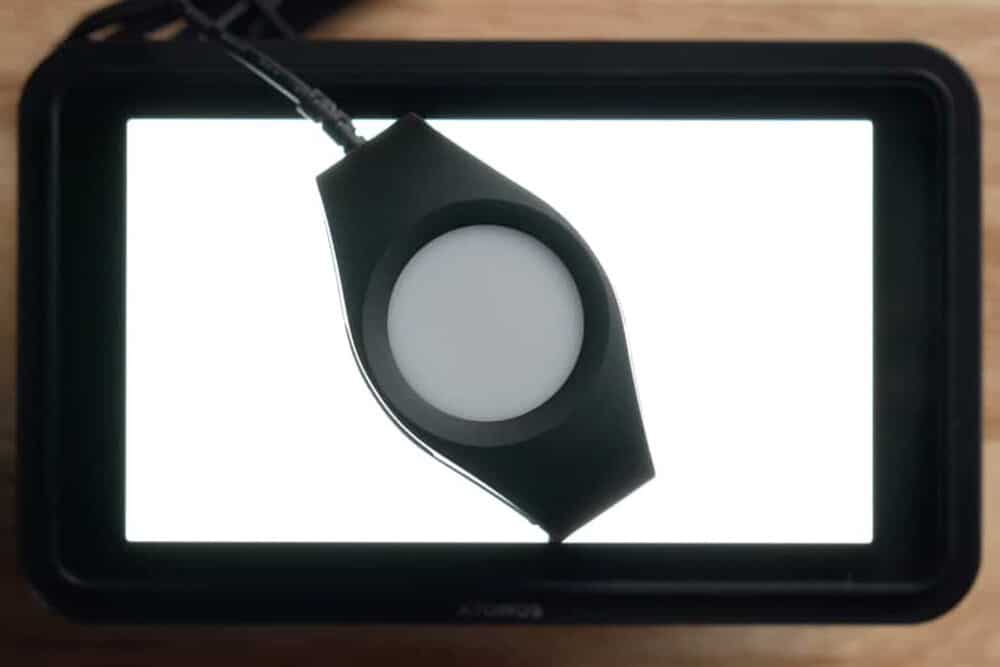
The monitor supports calibration using the compatible computer software, calibration connection and a Calibrite ColorChecker Display Pro or ColorChecker Display Plus probe. Those calibration tools are separate. Keep display calibration distinct from exposure tools: waveform describes the incoming signal, while calibration helps the display reproduce its intended colour response. Shinobi GO remains an on-camera monitoring display rather than a replacement for a mastering/reference monitor.
Monitor-only operation
Shinobi GO does not provide external recording or touchscreen camera-control functions. The USB-C port serves device power, not the supported camera-control workflow found on selected other Atomos models. Operate recording and camera settings on the camera while using this screen to inspect the HDMI picture. This keeps the purchase focused on monitoring rather than capabilities the unit does not include.
How It Compares
Compare Atomos Shinobi II if you want a same-series 1500-nit monitor with supported touchscreen camera control and touch-to-focus. These functions depend on the camera model and firmware. Choose Shinobi GO when you record internally and want a bright, compact screen for exposure and composition. Ninja TX GO adds compatible HDMI external recording, Wi-Fi camera-to-cloud and supported camera control; it is a different purchase with separate media and power planning. Ninja TX additionally offers SDI and AirGlu for the relevant production workflow. Do not buy Shinobi GO expecting a firmware setting to turn it into a Ninja recorder. Within monitor-only choices, compare the exact input frame rate, controls and mounting requirements rather than screen size alone.
Compatible Accessories and Related Gear
- Atomos Shinobi II: The closest same-series monitor-only alternative when supported camera control is required.
- Atomos Ninja TX GO: Compare an HDMI monitor-recorder if external recording and connected delivery are required.
- Atomos Ninja TX: Compare the same-brand recorder when the project requires SDI and AirGlu as well as HDMI.
Who Is This For?
For solo camera operators, photographers inspecting composition, and compact video crews recording inside an HDMI camera. It suits a handheld setup that needs exposure and focus tools without a recording-media workflow. Check that the camera can output a supported HDMI signal and that the complete monitor, power and mount setup fits your rig.
Who Should Choose Something Else?
Choose a monitor-recorder if you need ProRes or RAW capture outside the camera. Choose a model with the required SDI or UHD 4K60 input if those signals are part of the job. If touchscreen camera control is a purchase driver, compare an explicitly supported control-capable model and your exact camera. For final colour mastering, use a display and calibrated viewing environment designed for that task.
In the Box
- Shinobi GO monitor
- USB-C 2.0 cable
- HDMI and USB-C locking adapter
- Quick Start Guide
Specifications
| Model | ATOMSHB004 |
|---|---|
| Screen | 5.2-inch IPS touchscreen; 1920 × 1080; 1500 nits |
| Panel colour | 10-bit via 8+2 FRC; Rec.709 |
| Input | HDMI 1.4; UHD 4K up to 30p; 1080p up to 60p |
| Recording / camera control | Monitor only; no recording or touchscreen camera control |
| LUT loading | .cube 17/33-point; 8 slots; SD card |
| Power | NP-F/L-series battery or USB-C PD; no built-in battery |
| Cooling | Fanless passive cooling |
| Dimensions | 151 × 91.5 × 20.8 mm; 28.5 mm depth with locking adapters |
| Body weight | 210 g before power/mount/accessories |
| Mount | Bottom 1/4-20 anti-twist mounting point |
Product Video
Watch the official Shinobi GO setup walkthrough to see power, HDMI connection and monitoring-tool setup before assembling your camera rig.
FAQ
Can Shinobi GO record footage or ProRes files?
No. Shinobi GO is a monitor-only display. The camera continues to record internally while sending an HDMI picture to the monitor. Choose a compatible Ninja monitor-recorder if external recording is required.
Does Shinobi GO accept 4K60 or display native 4K?
No. Its HDMI input supports UHD 4K up to 30p, and the physical panel is 1920 × 1080. Use a supported camera output mode; choose another monitor if the workflow requires UHD 4K60 input.
Can I change camera settings from the Shinobi GO screen?
No. Shinobi GO does not provide touchscreen camera-control functions, and USB-C is for device power. Adjust settings on the camera or compare a control-capable monitor with explicit support for your camera model.
How do I power the Shinobi GO on location?
Use an NP-F/L-series battery or a suitable USB-C PD power supply. There is no built-in battery. The included USB-C cable and locking adapter do not replace the separately purchased battery or power adapter.
Is the SD card used to record video?
No. The SD card loads firmware and compatible .cube LUTs for viewing. Shinobi GO has no recording function, so inserting a card does not add external video capture or replace the camera's recording media.
Which LUT files can I load?
Shinobi GO accepts 17- or 33-point .cube LUTs and has eight LUT slots. Load a compatible look from an SD card and check its appearance with the camera's output; the preview does not change the camera recording settings.
How heavy is the complete monitor setup?
The Shinobi GO body is 210 g. Your NP-F battery or power lead, HDMI lead and mounting hardware add weight. Include those items when balancing a handheld camera or checking the payload of a compact support.
When should I choose Ninja TX GO instead?
Choose Ninja TX GO if the camera supports the external recording mode you need or the project requires connected clip delivery. Shinobi GO is the monitor-only choice for checking the picture while the camera records internally.
Where to Buy in Canada
Order Atomos Shinobi GO 5.2" Touchscreen HDR Video/Photo Monitor from Filmgear Canada with Canada-wide shipping. Contact the Vancouver team for camera output, mounting and power choices and current availability.
We have a 14-day return policy, which means you have 14 days after receiving your item to request a return.
To be eligible for a return, your item must be in the same condition that you received it, unworn or unused, with tags, and in its original packaging. You’ll also need the receipt or proof of purchase. For opened or used items, a minimum 15% restocking fee may apply depending on the item condition.
To start a return, you can contact us at info@filmgearcanada.com. If your return is accepted, we’ll send you instructions on how and where to send your package. Items sent back to us without first requesting a return will not be accepted.
You can always contact us for any return-related questions at info@filmgearcanada.com.
Important Notice for Special Order Items
Certain professional and project-based products are supplied on a Special Order basis and are subject to different return conditions. Please review the “Special Order Items” section below before placing your order.
Damages and Issues
Please inspect your order upon reception and contact us immediately if the item is defective, damaged, or if you receive the wrong item, so that we can evaluate the issue and make it right.
For Special Order items, damage or defect claims must be reported immediately upon delivery and will be handled in accordance with the manufacturer’s warranty terms.
Exceptions / Non-returnable Items
Special Order Items (Final Sale)
Certain professional, project-based products are supplied on a Special Order basis and are not regularly stocked. Special Order items are final sale and cannot be returned, exchanged, or refunded once the order has been confirmed with the manufacturer.
These items are ordered specifically for individual projects and may include, but are not limited to:
- Professional wireless communication systems
- Large-scale lighting equipment
- Studio carts and grip equipment
- Cine lenses and special production gear
Please ensure compatibility and project requirements before placing your order. If you have any questions regarding lead time or suitability, we strongly recommend contacting us prior to purchase.
In addition, we do not accept returns for sale items, gift cards, perishable goods, hazardous materials, flammable liquids, gases, or personal care products.
Exchanges
The fastest way to ensure you get what you want is to return the item you have. Once the return is accepted, you may place a new order for the desired item.
Refunds
We will notify you once we’ve received and inspected your return and let you know if the refund was approved or not. If approved, you’ll be automatically refunded on your original payment method. Please note that it may take some time for your bank or credit card company to process and post the refund.