

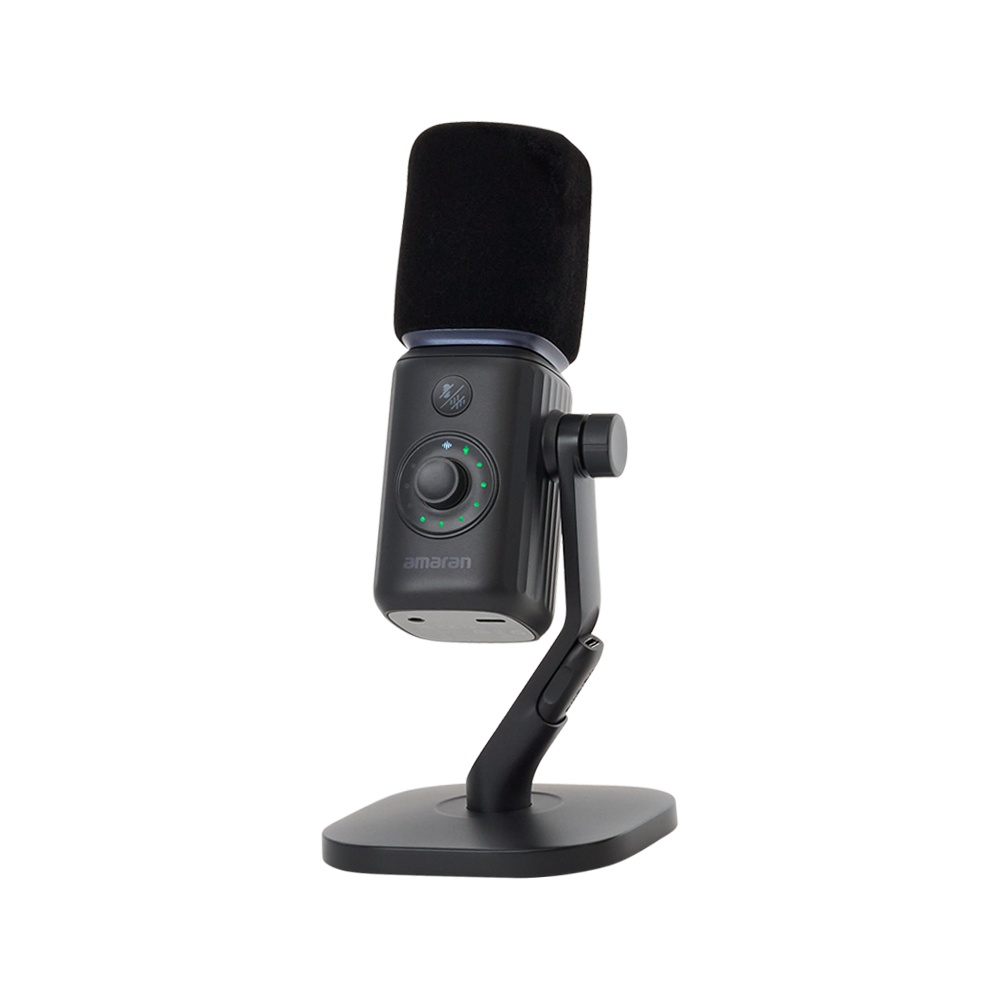
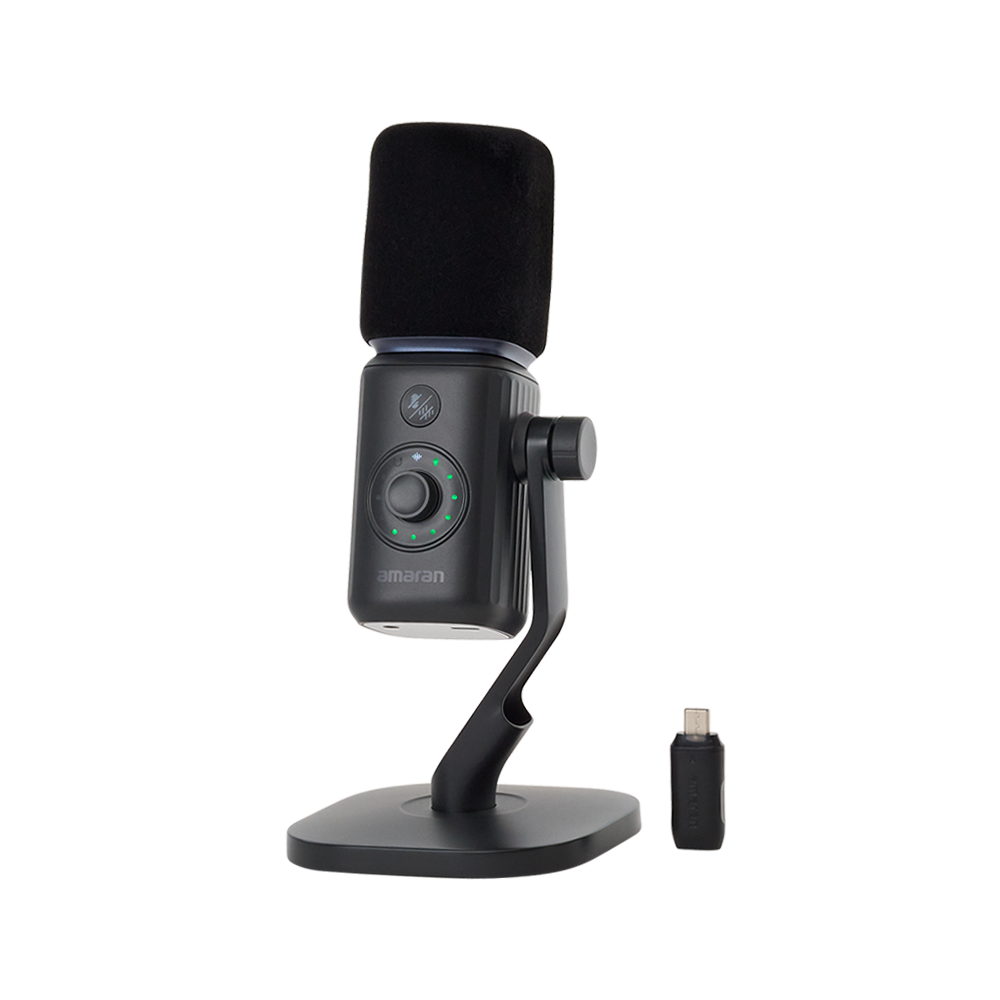
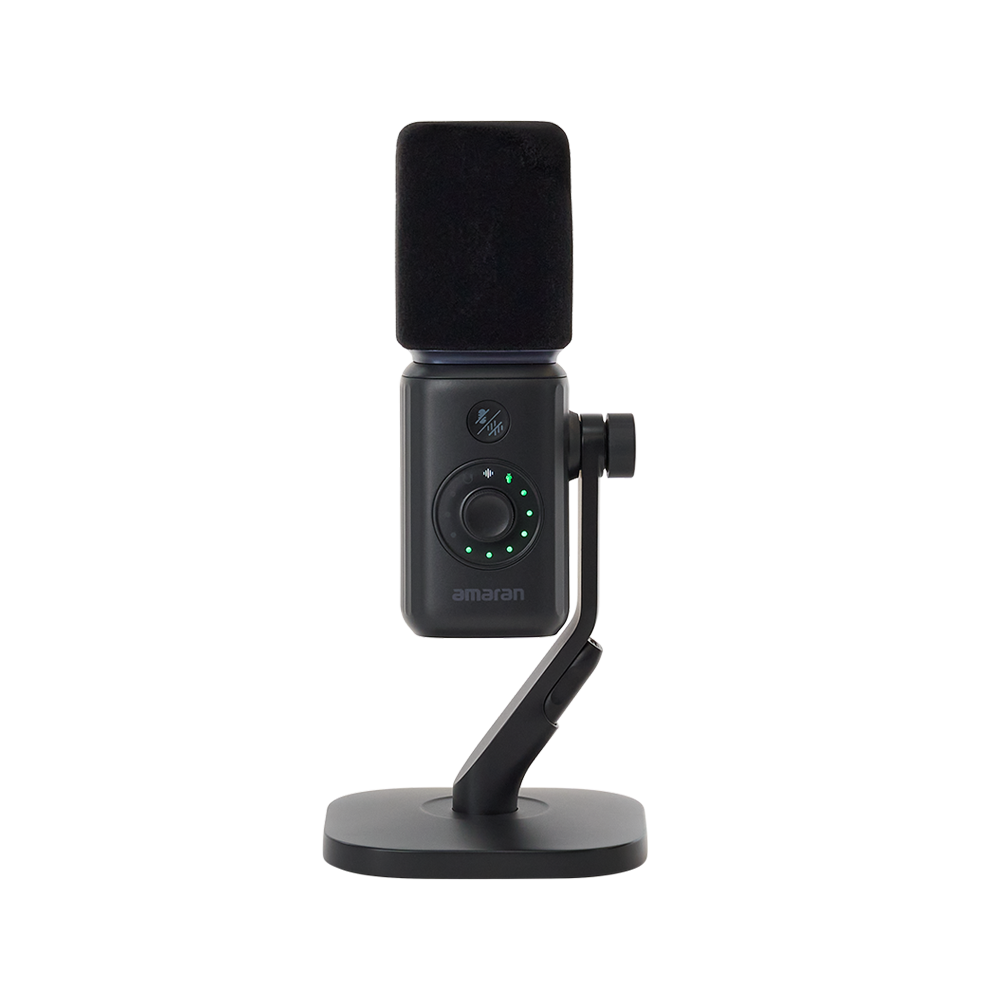
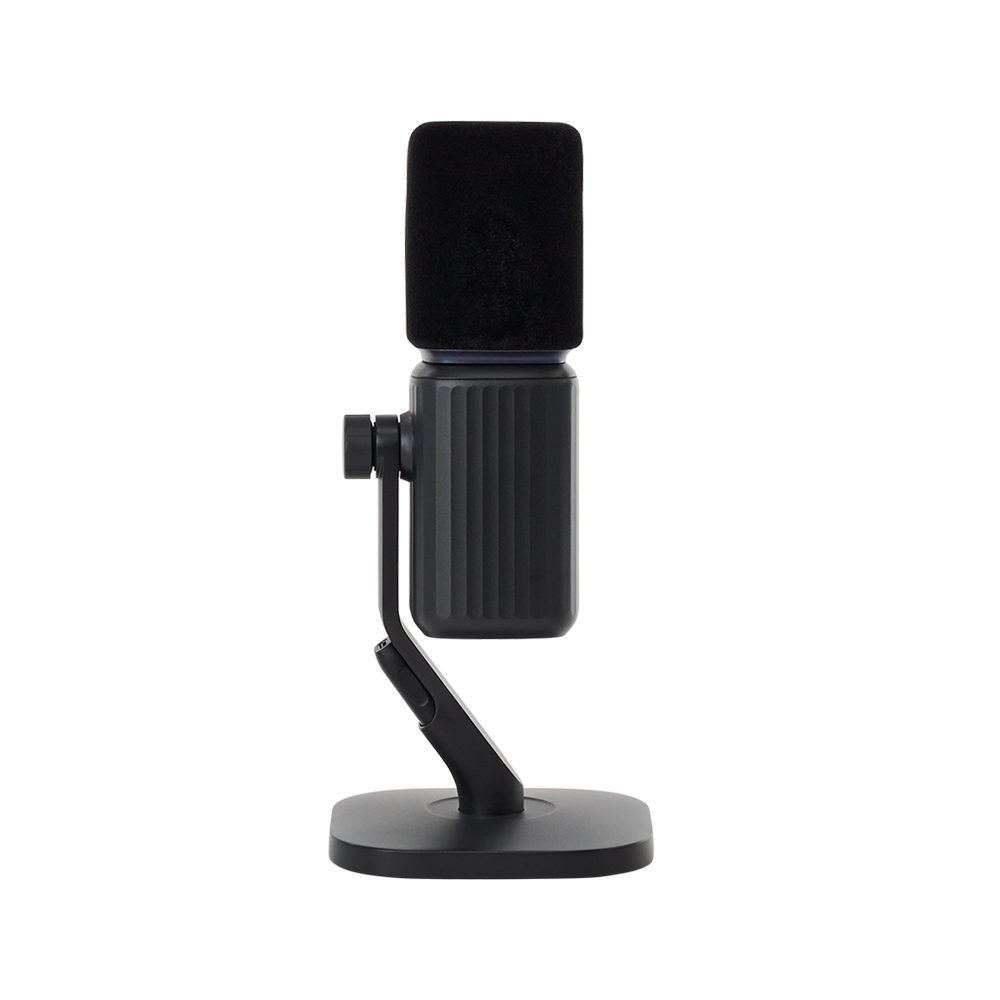


amaran Mic Wireless Desktop Microphone - Desktop Stand Kit
SKU: MP0706048P
Before ordering, send Filmgear Canada the link so we can verify the price including shipping.
- Identical productSame brand and model, new and unopened, with a manufacturer warranty in Canada.
- Canadian sellerAn authorized retailer or official brand store, priced in Canadian dollars.
- Available nowThe seller has it in stock and you can buy it now at the listed price.
- Delivered priceWe compare the total price including shipping.
Exclusions: Third-party marketplace sellers, foreign sites, clearance, open-box, demos, refurbished, limited-quantity offers, price errors.
If we lower this model's price within 7 days of purchase, we'll refund the difference.
PRE-ORDER. Ships as soon as stock arrives. Contact our sales team for an exact delivery date.
We Accept
Pairs well with
amaran Mic Wireless Desktop Microphone - Desktop Stand Kit
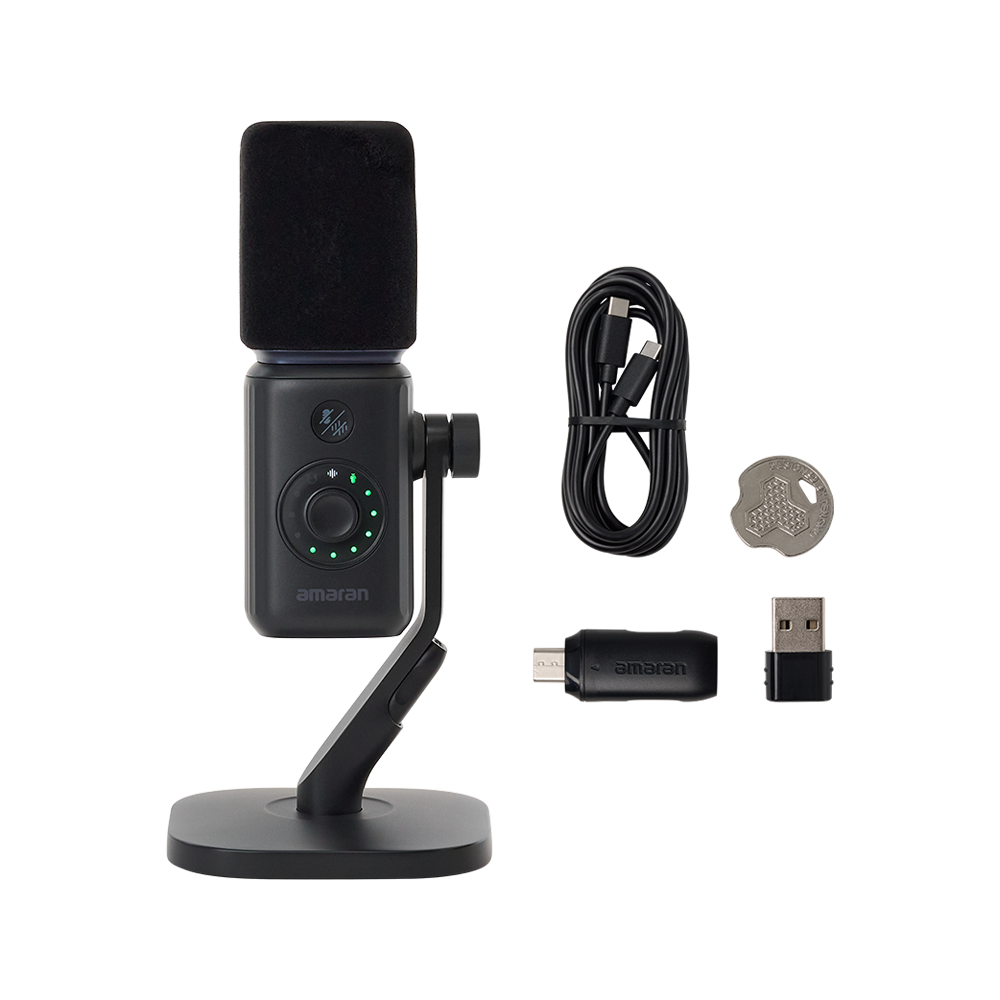
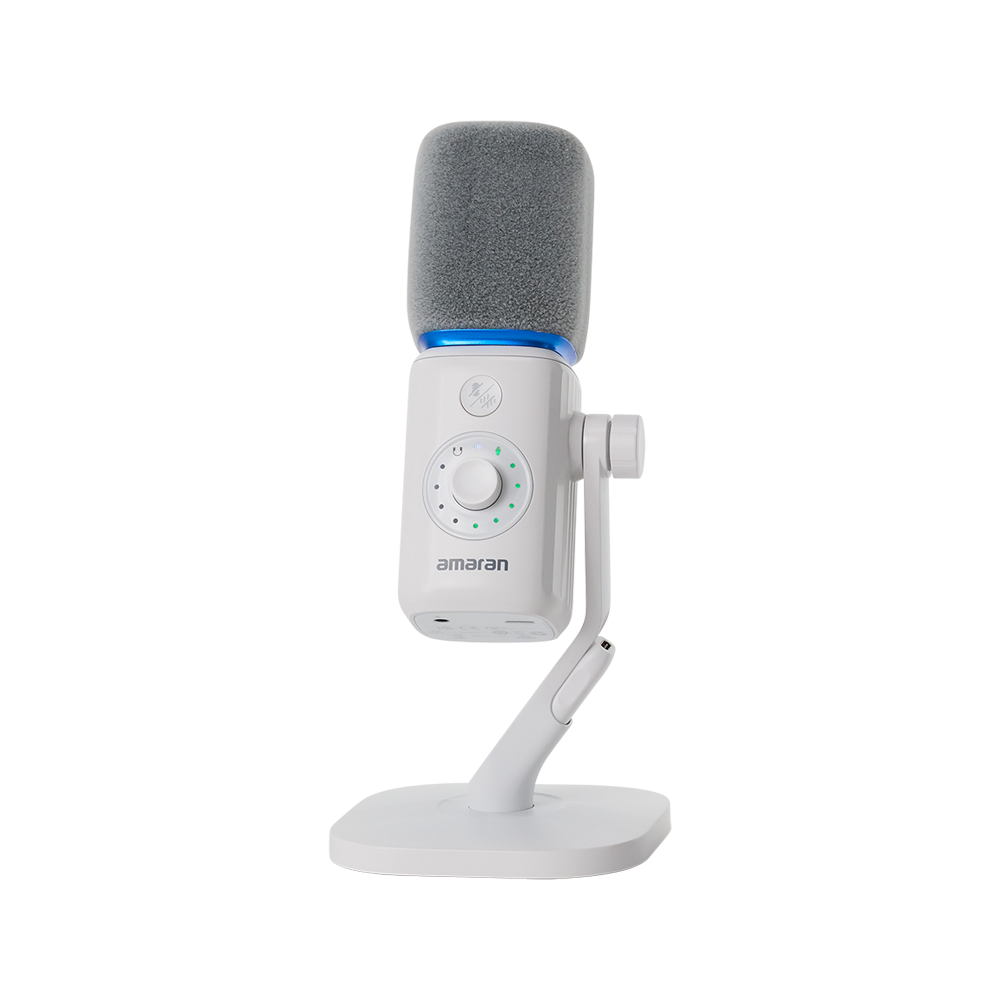
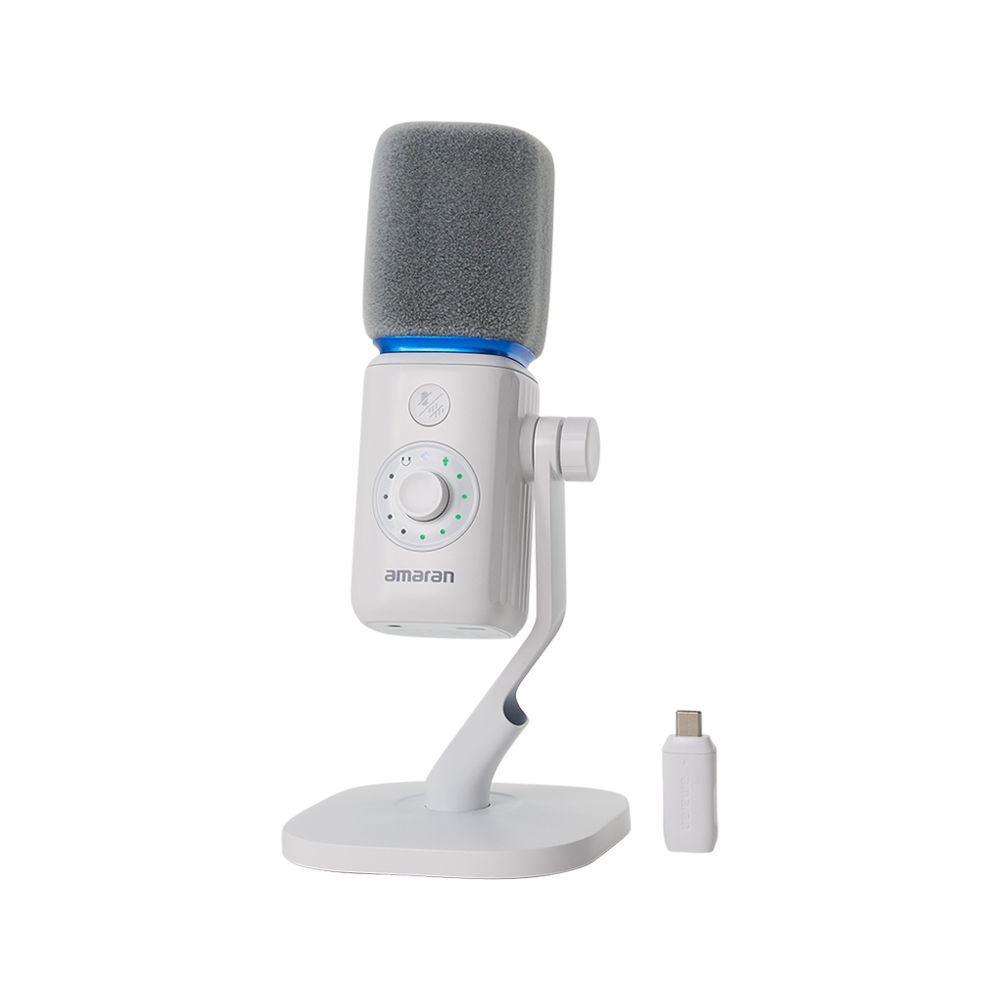
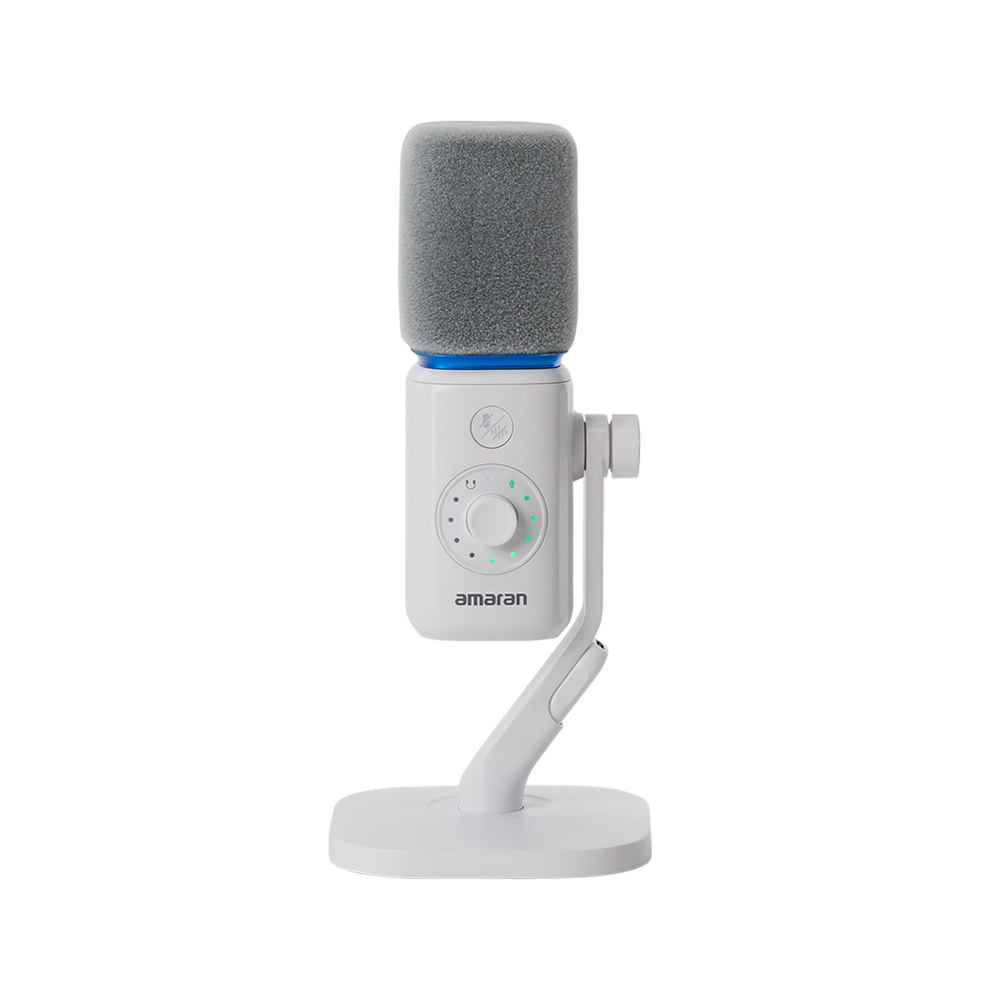
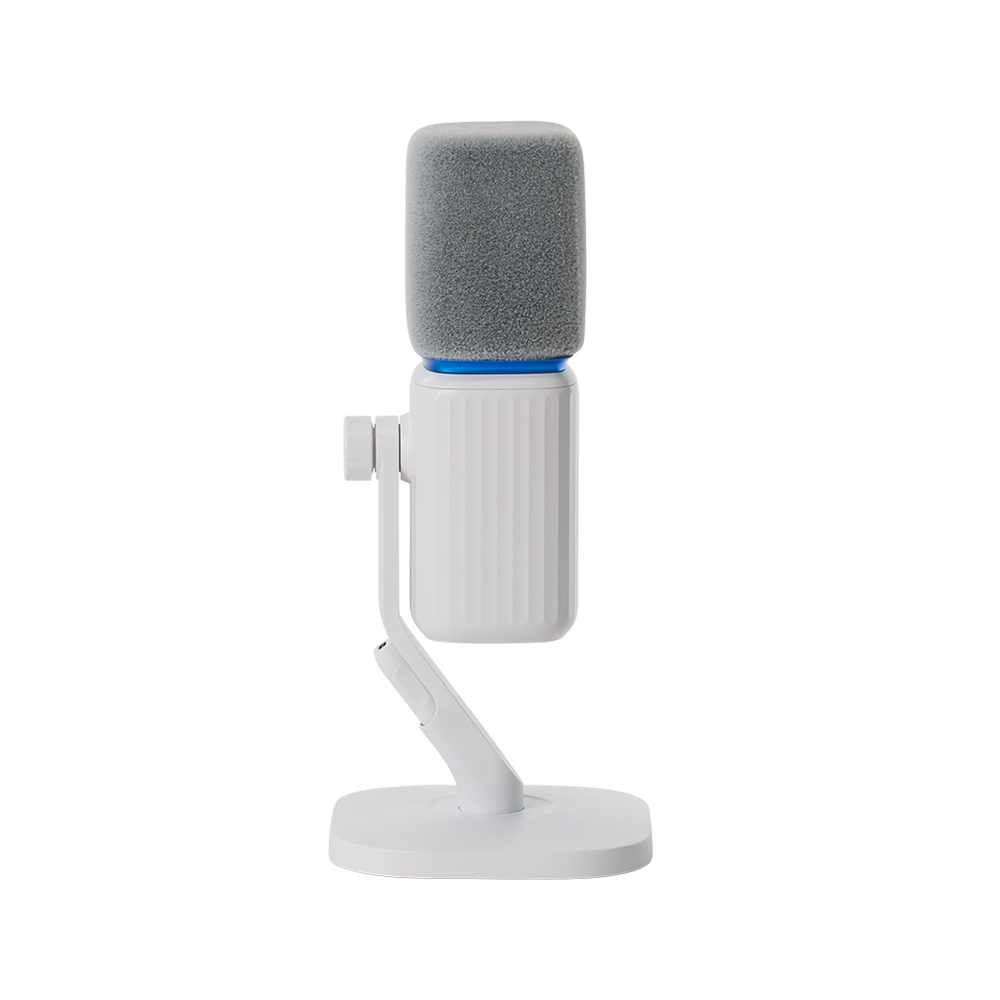
The amaran Mic Desktop Stand Kit gives podcasters, streamers and online educators a wireless desktop microphone that also connects directly by USB-C. The adjustable stand comes attached. Set it on your desk, angle the mic toward your mouth and connect to your computer or phone. Choose Charcoal or White.
Product Video
Key Selling Points


- Record by cable or go wireless. Plug the supplied 2 m USB-C cable into your computer or phone, or plug in the factory-paired 2.4 GHz receiver. A USB-C to USB-A adapter is included for computers with USB-A ports.
- Keep your voice close to the mic. The 30 mm dynamic capsule has a supercardioid pickup pattern. The manual recommends speaking from 10 to 20 cm away.
- Choose noise reduction to match the room. Standard Noise Reduction has three strengths for steady sounds such as a computer fan. AI Deep Noise Reduction targets sudden noises. Choose Original Sound to turn noise reduction off.
- Record wirelessly for 60 hours in Original Sound or 45 hours with AI Noise Reduction. You can keep recording while the mic charges by USB-C in either wired or wireless mode.
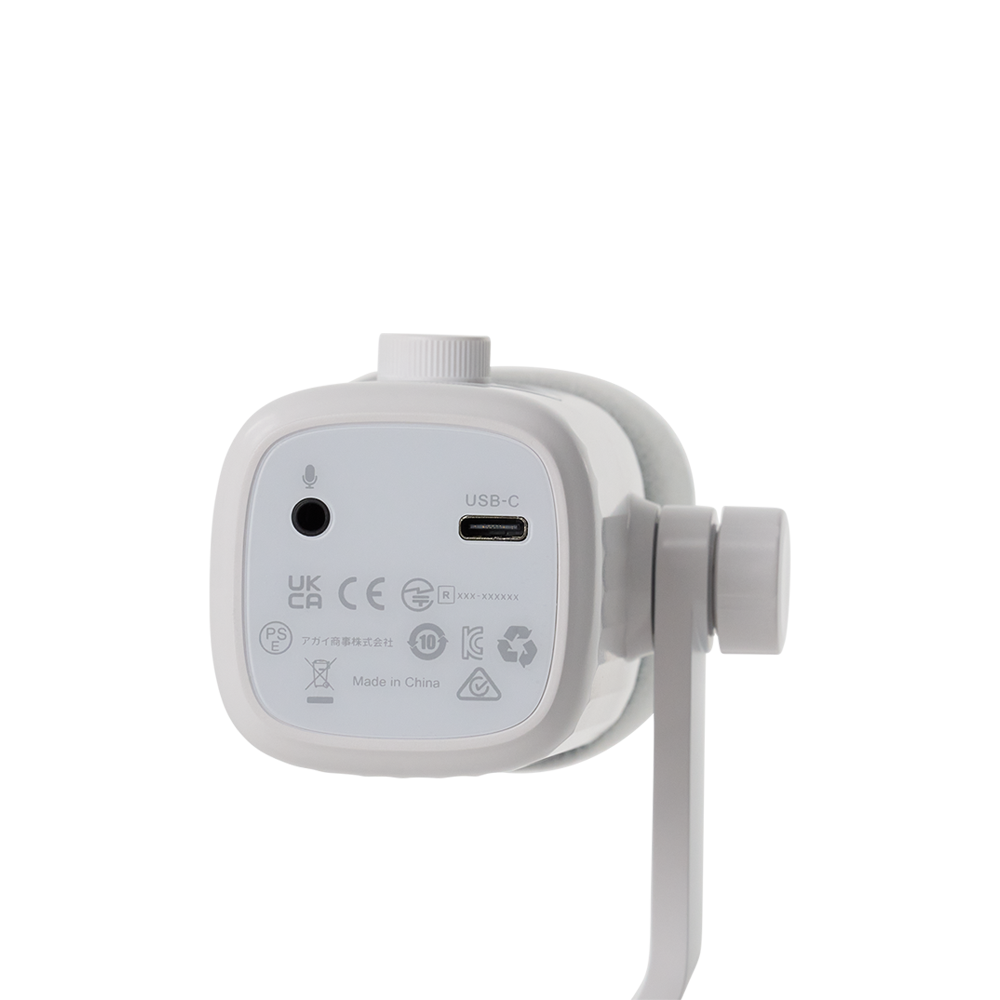
- Check what your audience will hear from the desk. The 3.5 mm headphone jack lets you monitor your mic in real time and hear playback from your connected device. Use the dial for headphone volume and the button to mute the mic.
- Move to a boom arm later. Removing the adjustable desktop stand exposes the mic’s 5/8" mounting thread. An arm with a 3/8" thread needs a 5/8" adapter.
In the Box
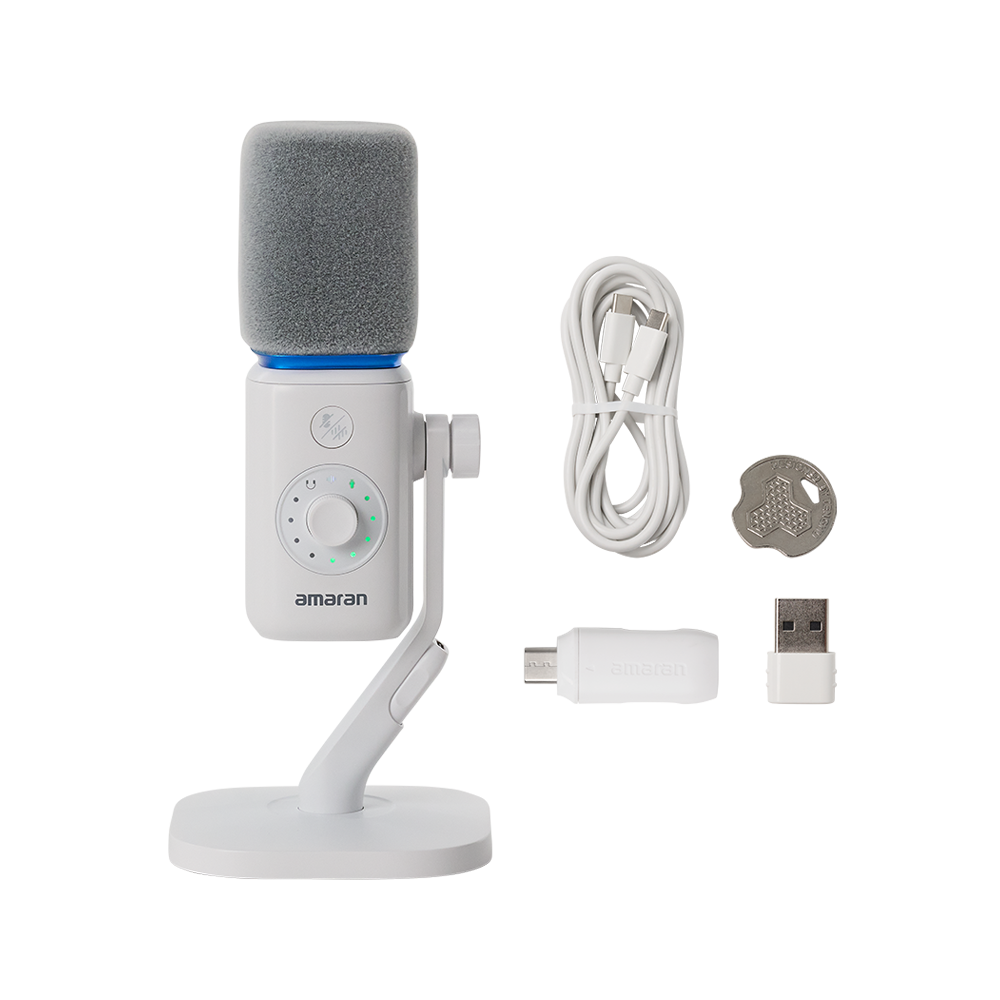
- 1x amaran Mic
- 1x amaran Mic Receiver
- 1x amaran USB-C to USB-A Adapter
- 1x amaran USB-C to USB-C Data Cable (2 m)
- 1x Coin Wrench
- 1x Quick Start Guide
The desktop stand comes pre-assembled on the mic. The mic, receiver, adapter and cable match the colour you choose.
FAQ
Can I plug the amaran Mic into a mirrorless camera?
The manual lists smartphones, computers, tablets and action cameras for the receiver’s USB-C data port. It does not confirm compatibility with a specific mirrorless camera. The mic’s 3.5 mm jack is for headphone monitoring only.
Do I need an app, drivers or an audio interface to start recording?
No. Connect the mic to your computer or phone by USB-C, or plug in the pre-paired receiver. The optional amaran Desktop app gives you EQ, a noise gate, a limiter and control over the balance between your voice and device playback.
How much warning do I get when the battery runs low?
Below 20%, the noise reduction indicator flashes red slowly for five seconds every 30 seconds. Below 10%, it flashes rapidly on the same schedule. You can connect USB-C power and keep recording. The manual does not describe an automatic switch to wired audio.
Can two podcast hosts use separate amaran mics with one receiver?
The manual documents one mic paired with one receiver. It does not document two mics sharing a receiver. The supplied pair is ready to use, and re-pairing is available in amaran Desktop.
Can I connect the mic to the XLR input on my recorder?
No. The amaran Mic has no XLR output. Recording audio travels through the USB-C cable or the wireless receiver’s USB-C data port. The 3.5 mm jack is for headphones.
Can I take the mic off the desktop stand and mount it on a boom arm?
Yes. Remove the included stand to access the 5/8" thread on the bottom of the mic. For a 3/8" arm such as the RODE PSA1 or PSA1+, use the 5/8" adapter supplied with the arm.
How It Compares
- Desktop stand or boom arm? Choose the Desktop Stand Kit if you have space for the mic directly in front of you. The Low-Profile Boom Arm Kit has the same mic, receiver, cable and desktop stand, plus a desk-clamping arm and riser that let you bring the mic to your mouth while freeing the space below.
- amaran Mic or RODE PodMic USB? Choose amaran for wireless recording, battery power and onboard AI noise reduction. Choose the RODE PodMic USB if you need analog XLR for an interface, mixer or recorder as well as digital USB-C.
Specifications
| Model | amaran Mic with amaran Mic RX wireless receiver |
|---|---|
| Colour Options | Charcoal, White |
| Capsule | 30 mm dynamic |
| Polar Pattern | Supercardioid |
| Frequency Response | 40 Hz to 16 kHz |
| Sample Rate / Bit Depth | 48 kHz / 24-bit |
| Max SPL | 130 dB SPL (at minimum mic gain) |
| Sensitivity | -8 dBFS/Pa (max) |
| Signal-to-Noise Ratio | 86 dB |
| THD | 0.2% at 1 kHz |
| Gain Range | 0 to 49 dB |
| Noise Reduction | Standard (Strong, Moderate, Mild) and AI Deep Noise Reduction |
| Audio Output | Wired USB-C, or wireless through the USB-C receiver |
| Wireless | 2.4 GHz; 50 m or more unobstructed, 10 m or more with people or obstructions |
| Battery | 3000 mAh |
| Wireless Use Time | 60 h (Original Sound) / 45 h (AI Noise Reduction) |
| Charging | USB-C, 5V 2A, 2.5 h to full |
| Headphone Monitoring | 3.5 mm TRS |
| Mount Thread | 5/8" (use an adapter for 3/8" stands) |
| Mic Dimensions | 158 x 52.3 x 55 mm without stand; 226 x 100 x 100 mm with stand |
| Receiver Dimensions | 43.5 x 17 x 10 mm |
| Mounting | Desktop stand, pre-assembled |
| Weight | Mic 338 g without stand; receiver 4 g; complete set 779 g |
| Cable | USB-C to USB-C, 2 m |
| Software | amaran Desktop app (optional); firmware updates through the app |
| Operating Temperature | -10 to 40°C (charging 0 to 40°C) |
Compatible Accessories and Related Gear
- Compatible boom arms. The RODE PSA1 and the RODE PSA1+ in black or white each include a 5/8" adapter for their 3/8" thread. Remove the amaran desktop stand and use the adapter to mount the mic.
- Webcam for the same desk. You can configure the amaran Cam 4K Webcam with Auto Lighting and the amaran Mic in the same amaran Desktop app.
Related gear. amaran Mic Low-Profile Boom Arm Kit
We have a 14-day return policy, which means you have 14 days after receiving your item to request a return.
To be eligible for a return, your item must be in the same condition that you received it, unworn or unused, with tags, and in its original packaging. You’ll also need the receipt or proof of purchase. For opened or used items, a minimum 15% restocking fee may apply depending on the item condition.
To start a return, you can contact us at info@filmgearcanada.com. If your return is accepted, we’ll send you instructions on how and where to send your package. Items sent back to us without first requesting a return will not be accepted.
You can always contact us for any return-related questions at info@filmgearcanada.com.
Important Notice for Special Order Items
Certain professional and project-based products are supplied on a Special Order basis and are subject to different return conditions. Please review the “Special Order Items” section below before placing your order.
Damages and Issues
Please inspect your order upon reception and contact us immediately if the item is defective, damaged, or if you receive the wrong item, so that we can evaluate the issue and make it right.
If an item is defective within 14 days of delivery, email info@filmgearcanada.com with a short video of the problem and the serial number, or bring it to our showroom. Once we confirm the defect, we’ll replace it (or refund it if a replacement isn’t available) and handle the manufacturer claim ourselves.
For Special Order items, damage or defect claims must be reported immediately upon delivery and will be handled in accordance with the manufacturer’s warranty terms.
Exceptions / Non-returnable Items
Special Order Items (Final Sale)
Certain professional, project-based products are supplied on a Special Order basis and are not regularly stocked. Special Order items are final sale and cannot be returned, exchanged, or refunded once the order has been confirmed with the manufacturer. Special Order items are final sale whether they ship from our stock or are ordered from the manufacturer.
These items are ordered specifically for individual projects and may include, but are not limited to:
- Professional wireless communication systems
- Large-scale lighting equipment
- Studio carts and grip equipment
- Cine lenses and special production gear
Please ensure compatibility and project requirements before placing your order. If you have any questions regarding lead time or suitability, we strongly recommend contacting us prior to purchase.
In addition, we do not accept returns for open box, demo or clearance items, gift cards, hazardous materials, flammable liquids or gases.
Exchanges
The fastest way to ensure you get what you want is to return the item you have. Once the return is accepted, you may place a new order for the desired item.
Refunds
We will notify you once we’ve received and inspected your return and let you know if the refund was approved or not. If approved, you’ll be automatically refunded on your original payment method. Please note that it may take some time for your bank or credit card company to process and post the refund.
FAQ
If you have any questions, you are always welcome to contact us. We'll get back to you as soon as possible, within 24 hours on weekdays.
-
Shipping Information
Ships from Vancouver, BC across Canada. Free standard shipping on orders over $199 CAD (remote areas and oversize or overweight items excluded). In-stock orders placed before 2 PM Vancouver time ship the same business day. Pre-order and special order items ship when they arrive. Local pickup at our 945 E Cordova St showroom, usually ready in 2 hours for in-stock items.
-
Customer Support
Email info@filmgearcanada.com or call (604) 269-4161. Our team gives pre-purchase advice, helps you spec the right model for your shoot, and confirms compatibility before you order. Open Monday–Saturday, 9:30 AM – 5:00 PM PT. In-store consultation at our Vancouver, BC showroom.
-
FAQ’s
Authorized Canadian dealer for Aputure, amaran, DJI, Nanlite, Tilta, and more. All products include full manufacturer warranty and Canadian-side support. For B2B / production-house pricing or net terms, email info@filmgearcanada.com — we work with crews and studios across Canada.
-
Contact Us
Filmgear Canada — 945 E Cordova St #108, Vancouver, BC V6A 1H9. Phone: (604) 269-4161. Email: info@filmgearcanada.com. Showroom open Mon–Sat, 9:30 AM – 5:00 PM — walk-ins welcome, no appointment needed.